TABLE OF CONTENTS
Provider Invoicing Enhancements
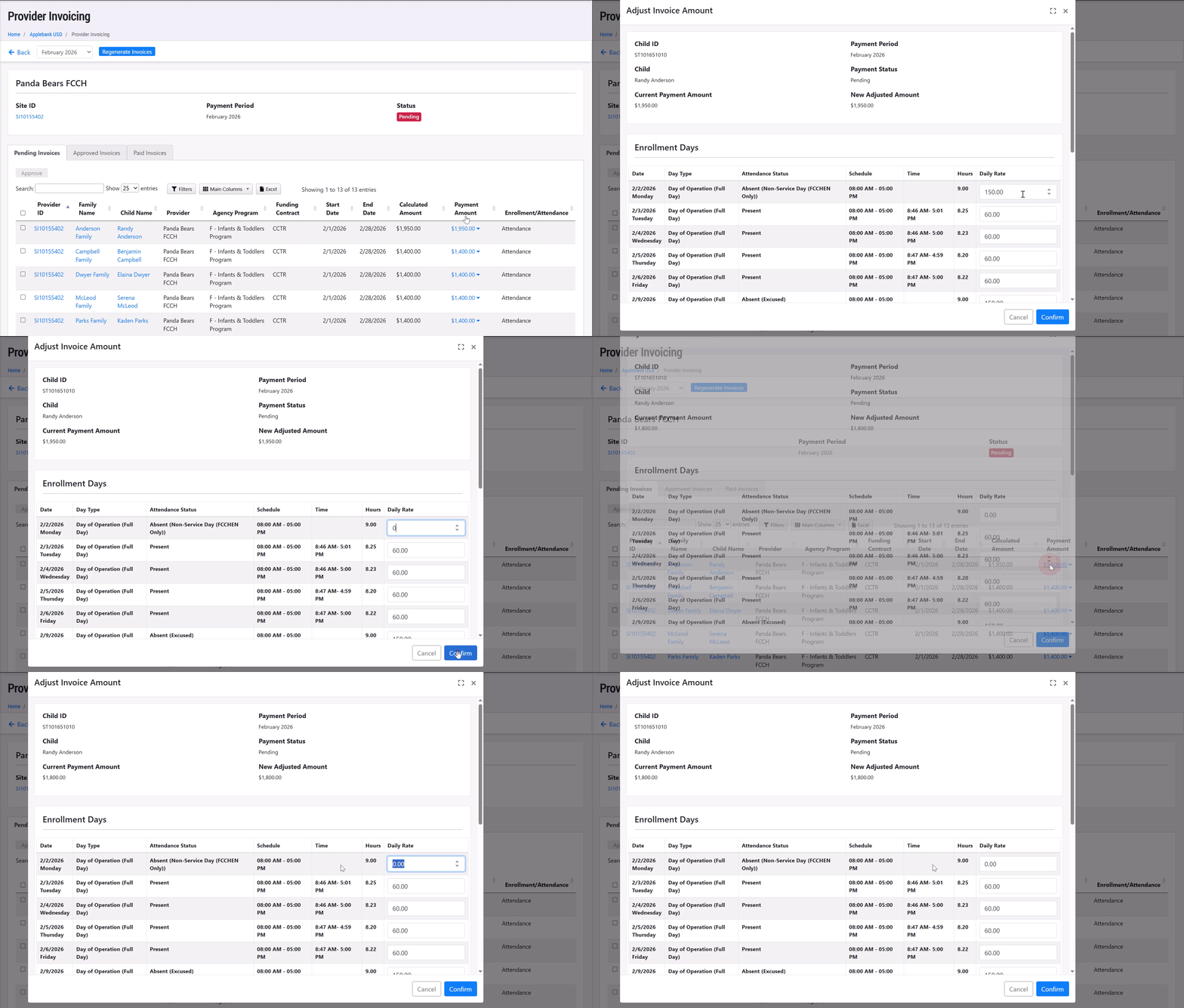
- We updated the Provider Invoicing feature to ensure any adjusted amount a user inputs for a child's daily rate is saved to the "Adjust Invoice Amount" modal where daily rates can be edited and confirmed. This means that the rate you enter in the adjustments modal will be saved when you next open the "Payment Amount" details, instead of reloading the calculated daily rates each time the modal is opened.
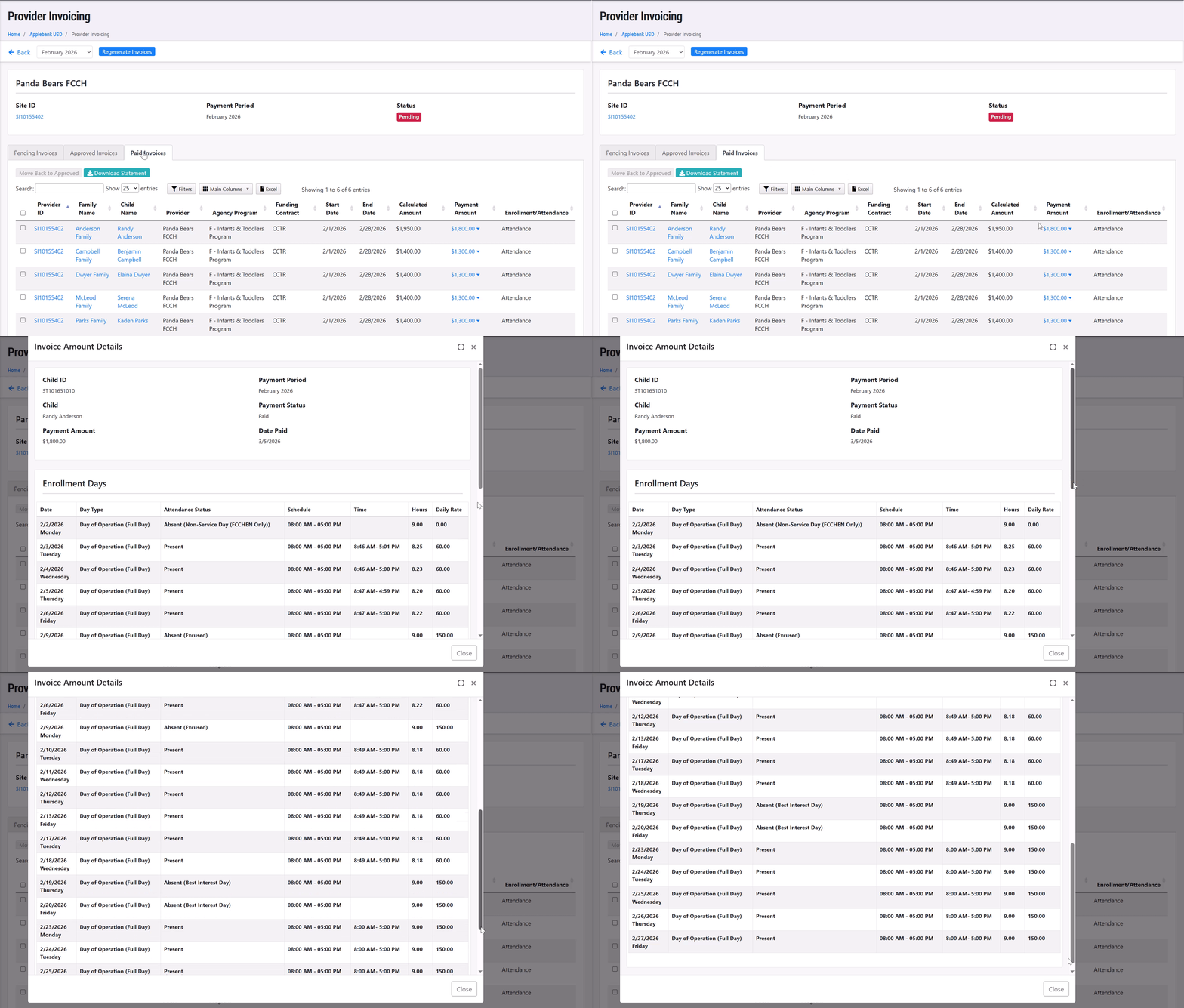
- We added the invoice details chart that shows a child's daily rates in a pop-up modal to the "Paid Invoices" tab within a site's Provider Invoicing area. This allows users to view the daily break down of a child's invoice for the month even after it is marked as "Paid.
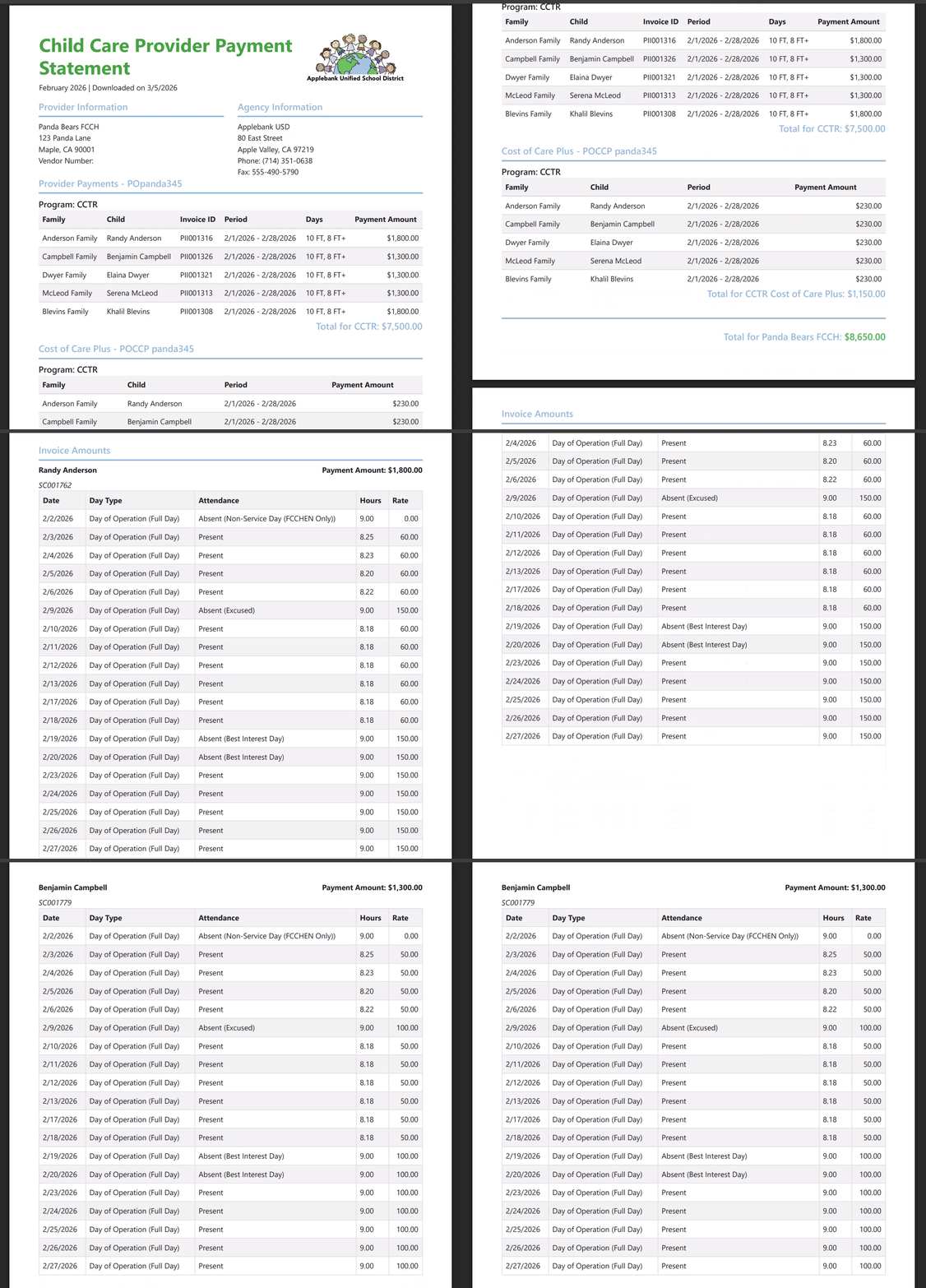
- We also added the invoice details chart that shows a child's daily rates to the Provider Invoicing Statement download for paid invoices. This allows users to view the daily break down of a child's invoice for the month within the statement download after it is marked as "Paid."
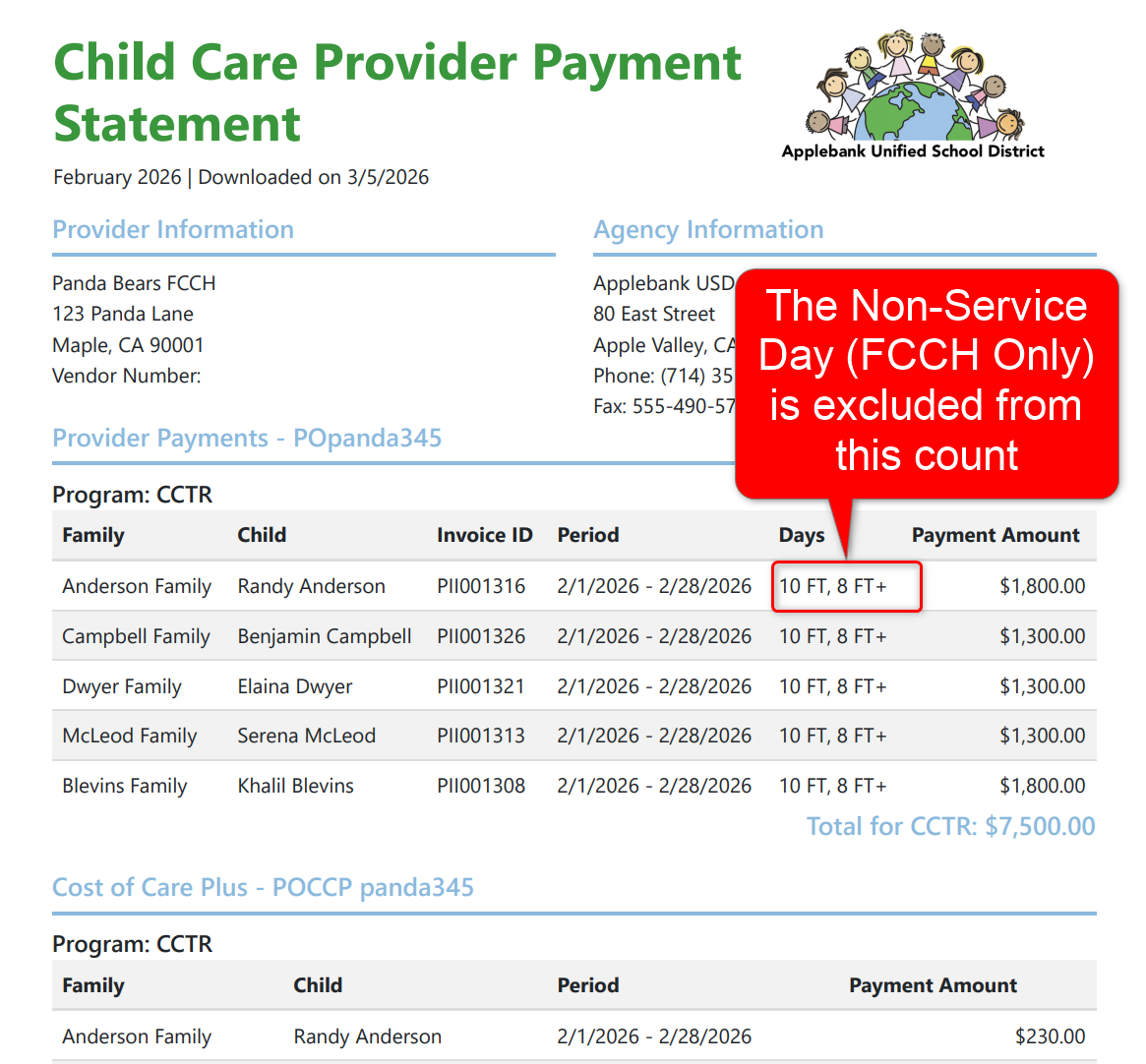
- We've updated the Provider Invoicing Statement download to exclude any absence days processed as "Non-Service Day (FCCHEN Only)" type from the "Days" count in the Provider Payments section of the download. This means that a child who is scheduled for 22 days in a month will only show 21 days if one of those days was processed as a "Non-Service Day (FCCHEN Only)" absence type.
Child Health Enhancements
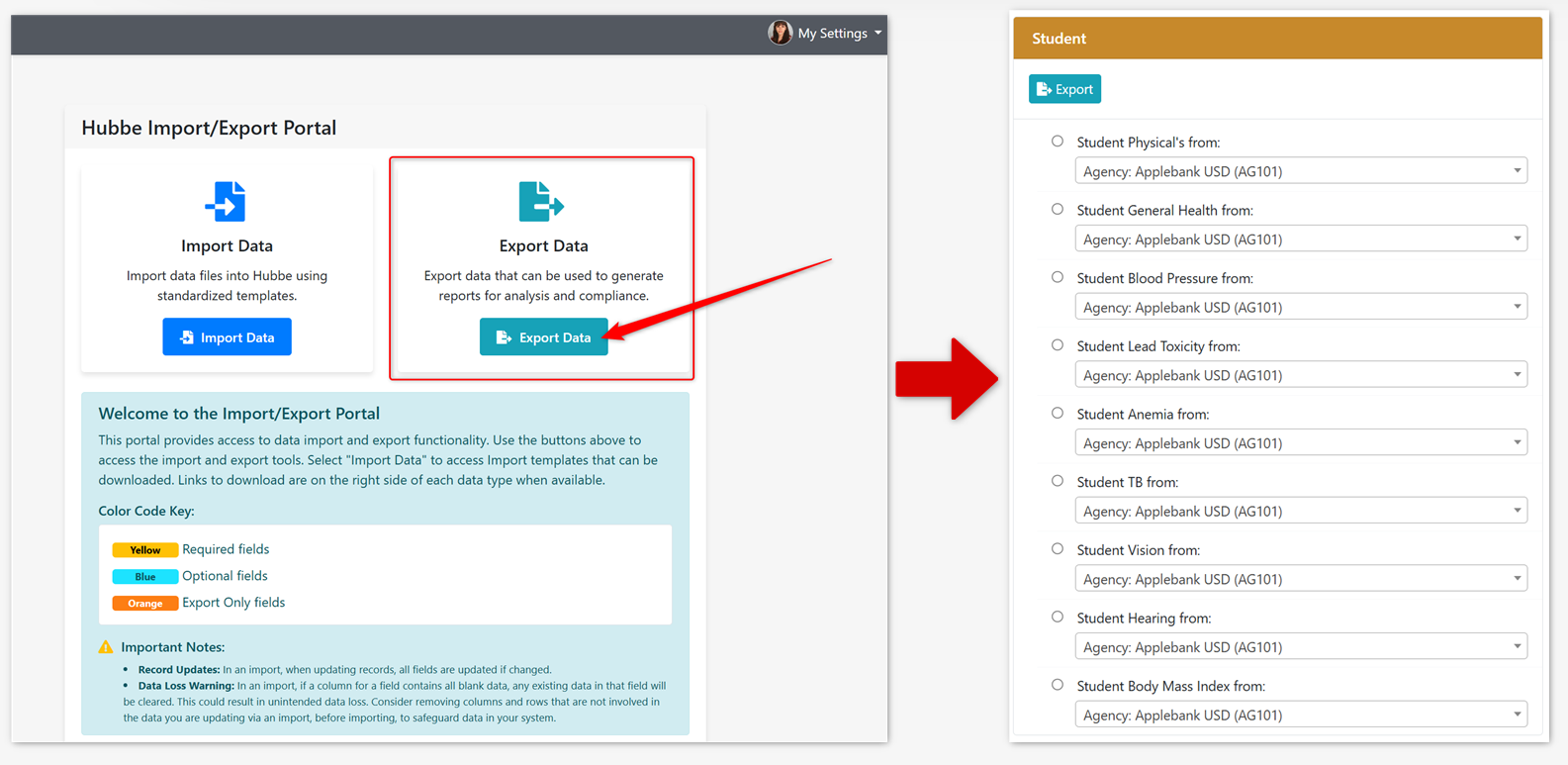
- We've added new Export options in the Export Portal for all health screenings that are offered in Hubbe, including: Physical Exams, General Health Screenings, Blood Pressure Readings, Lead Toxicity Screenings, Anemia Screenings, TB Assessments, Vision Screenings, Hearing Screenings, and Body Mass Index (BMI) records. Some things to note about these new export options:
- These new export options will only be available in the Export Portal at this time, and will not be available to import.
- The various screenings exports can be made for the agency level, or for a selected site or session. If the agency level is selected, please note that only students with a schedule will be included if the "Fiscal Calendar Year Filter" is set to "Yes" in the "Export Options" tab of the Export Portal - if set to "No" then all screening records for all children across every year will be included in the export file, even if they do not have a schedule record.
- In the export file, a student will have their current active schedule details listed first, and if none, then their schedule that starts in the future, and if none, then their latest previous schedule details.
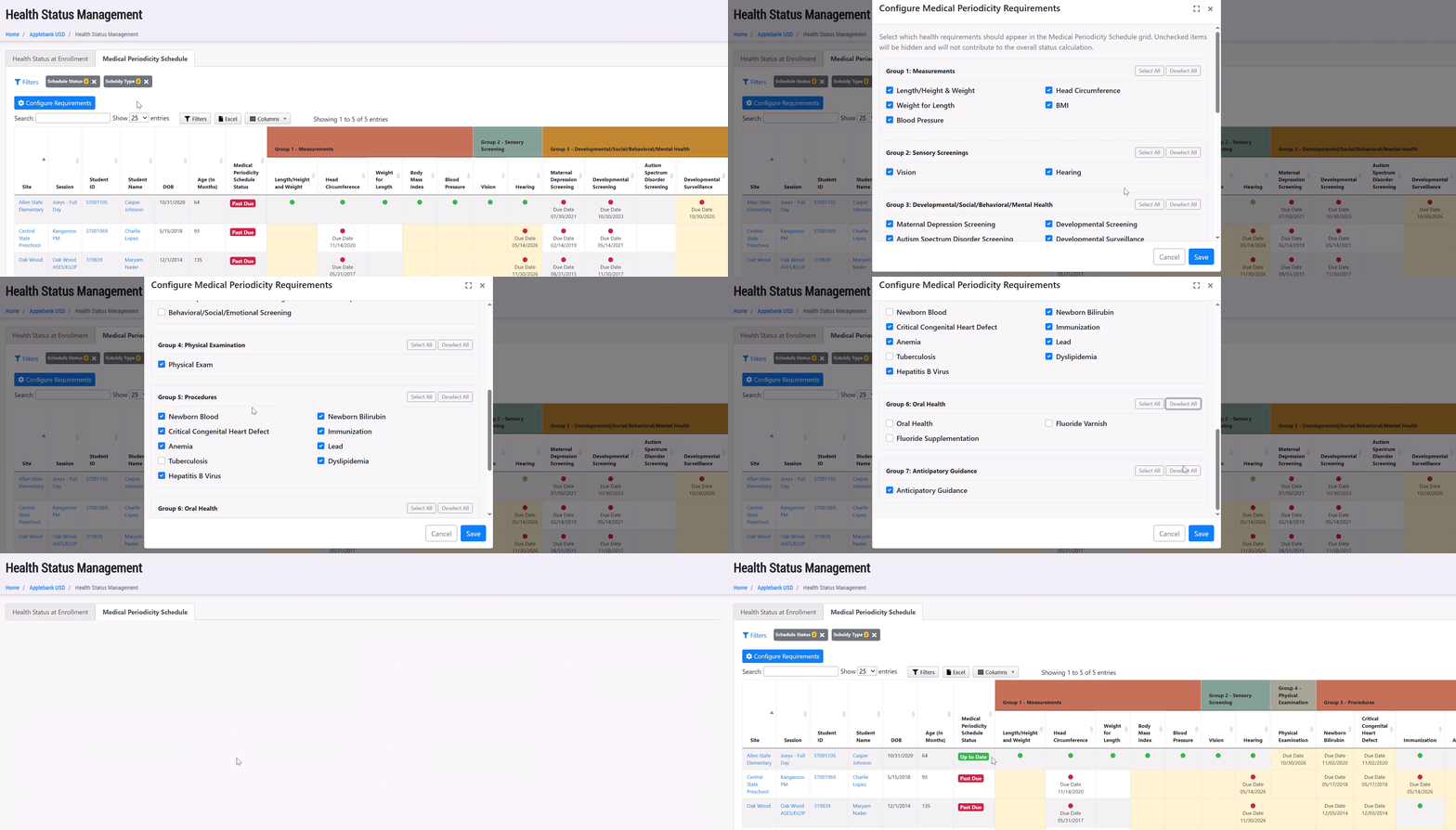
- We implemented new Configuration Settings to the Medical Periodicity Schedule grid that allows users to select/de-select health items to manage within the grid, such as the Head Circumference, Weight for Length, etc. If you hide a health item, it will adjust the validation requirements for the child's overall "Medical Periodicity Schedule Status." The configuration settings are manageable by users with the role of Agency Admin, and apply to all levels of the data system (agency, site, and session).
General Enhancements
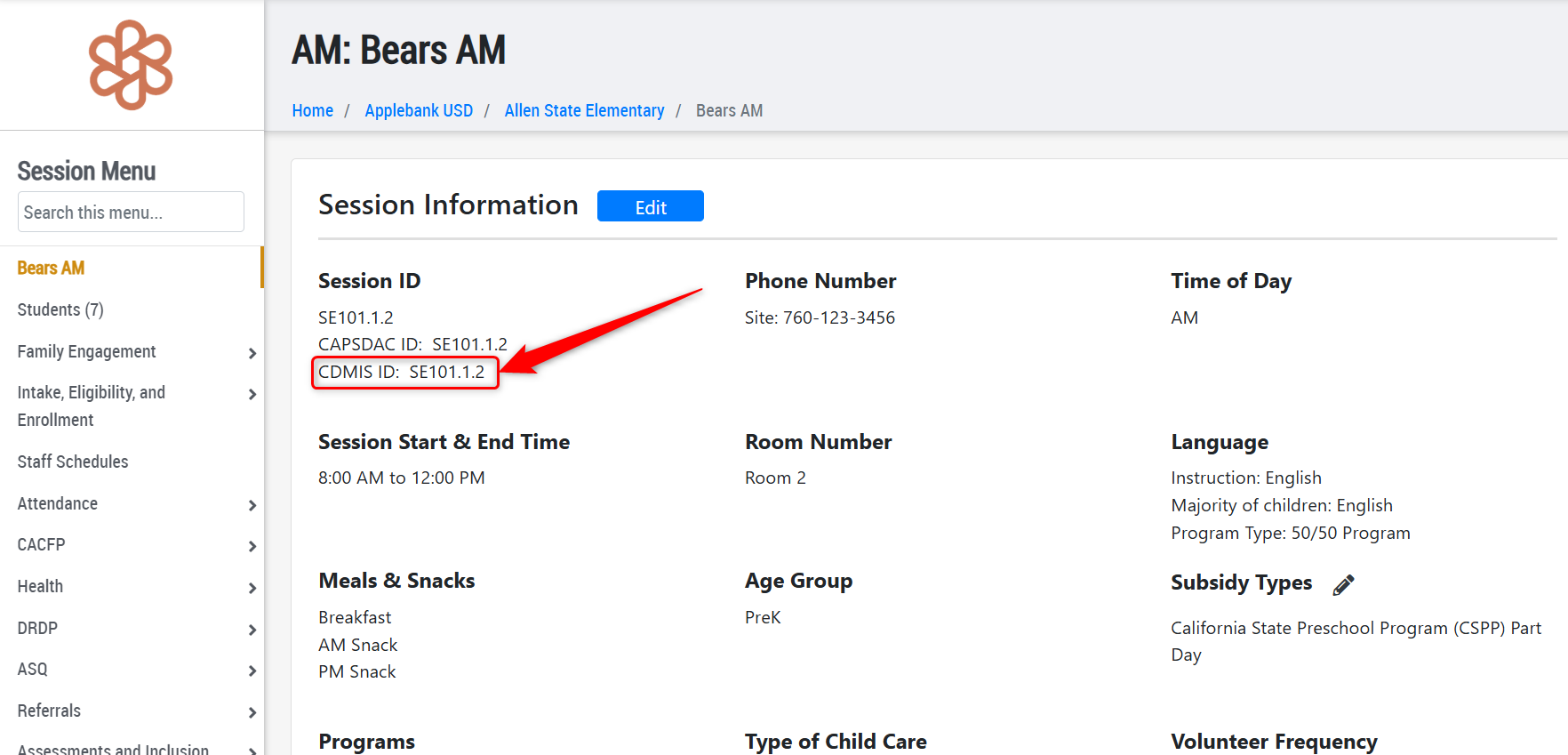
- We added a new field to the session record for "CDMIS ID." Upon release of this update, all sessions will default to have a CDMIS ID that matches the Session ID in Hubbe. This ID can be changed on the session record, if needed. The addition of this new field is to preemptively support changes to the CLASS Assessment and CDMIS 801A report in the coming year.
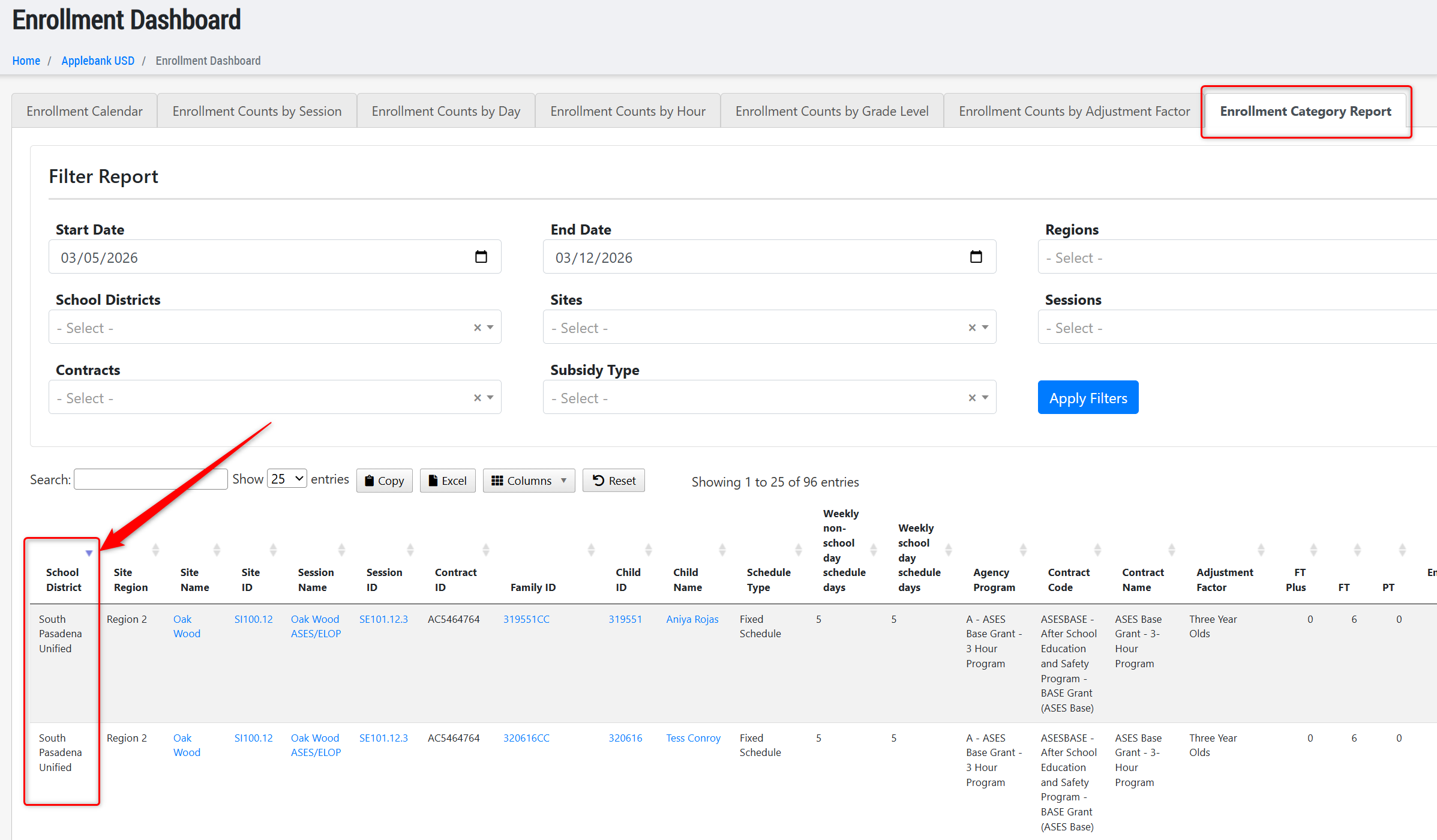
- We added a new column to the Enrollment Category Report for "Site School District." This report already had a filter for "School District" but will now also be a column in the grid and Excel export.
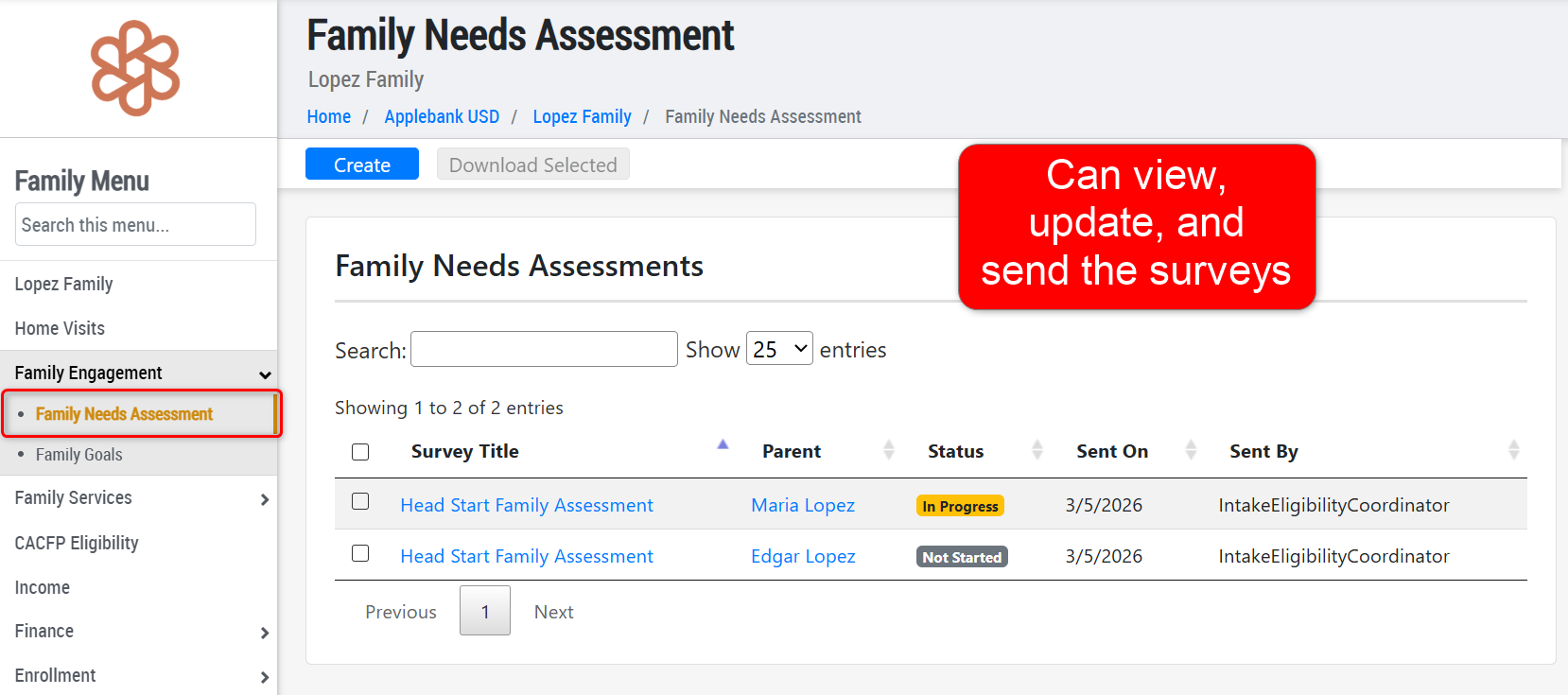
- We updated the permissions of the following roles to be able to create, send, and update a Family Needs Assessment survey from the household record:
- Intake and Eligibility Coordinator
- Family Services Supervisor
- Family Caseworker
Fixes & Adjustments
- Within the Family Application, we updated the label of the field "Active Court Case" to "Active Restraining Order" to better signify the purpose of the field, as it is labeled "Active Restraining Order" within the student record upon intake of the application. This field is found within the "Demographic Information and Exceptional Needs" section of a child within the Family Application.
- We updated the Family Fee posting process to ensure the "Due Date" defaults to the fee's selected date or the 1st of the month in the billing period being managed. For example, if Family Fees for April 2026 services are being posted now in March 2026, the "Due Date" will default to dates within April 2026, rather than March 2026.
- We updated the Chronic Absences Report to ensure a child's "Abandonment of Care" count ends on the last day of their schedule to ensure the count is not incorrectly inflated by the period of time between the child's end date and the end of the filtered date range of the report.
- We fixed an issue where pending fees remained for a student that was dropped in some cases.
- We fixed an issue reported by users with the Spanish version download of the Application for Services CCD-26 form.
- We fixed an issue reported by users with the Benefits section of the Meal Benefit Form for families with a CalFresh Case Number, CalWORKS Case Number, or FDPIR Case Number.
- We fixed an issue reported by users when attempting to send an email with an attachment to parents/guardians from the "Parents/Guardians" tab on the session record.
- We implemented many performance enhancing updates to the system in response to reports of system slowness.
Was this article helpful?
That’s Great!
Thank you for your feedback
Sorry! We couldn't be helpful
Thank you for your feedback
Feedback sent
We appreciate your effort and will try to fix the article