TABLE OF CONTENTS
- Attendance Enhancements
- Applications and Waitlist Enhancements
- Staff Education Updates to Support the CAPSDAC 2.0 Report
- Single-Sign-On (SSO) Updates
- Child Referral Enhancements
- Family Billing Enhancements
- Student Enrollment & General Enhancements
- CAPSDAC 2.0 Updates
- Fixes & Adjustments
Attendance Enhancements
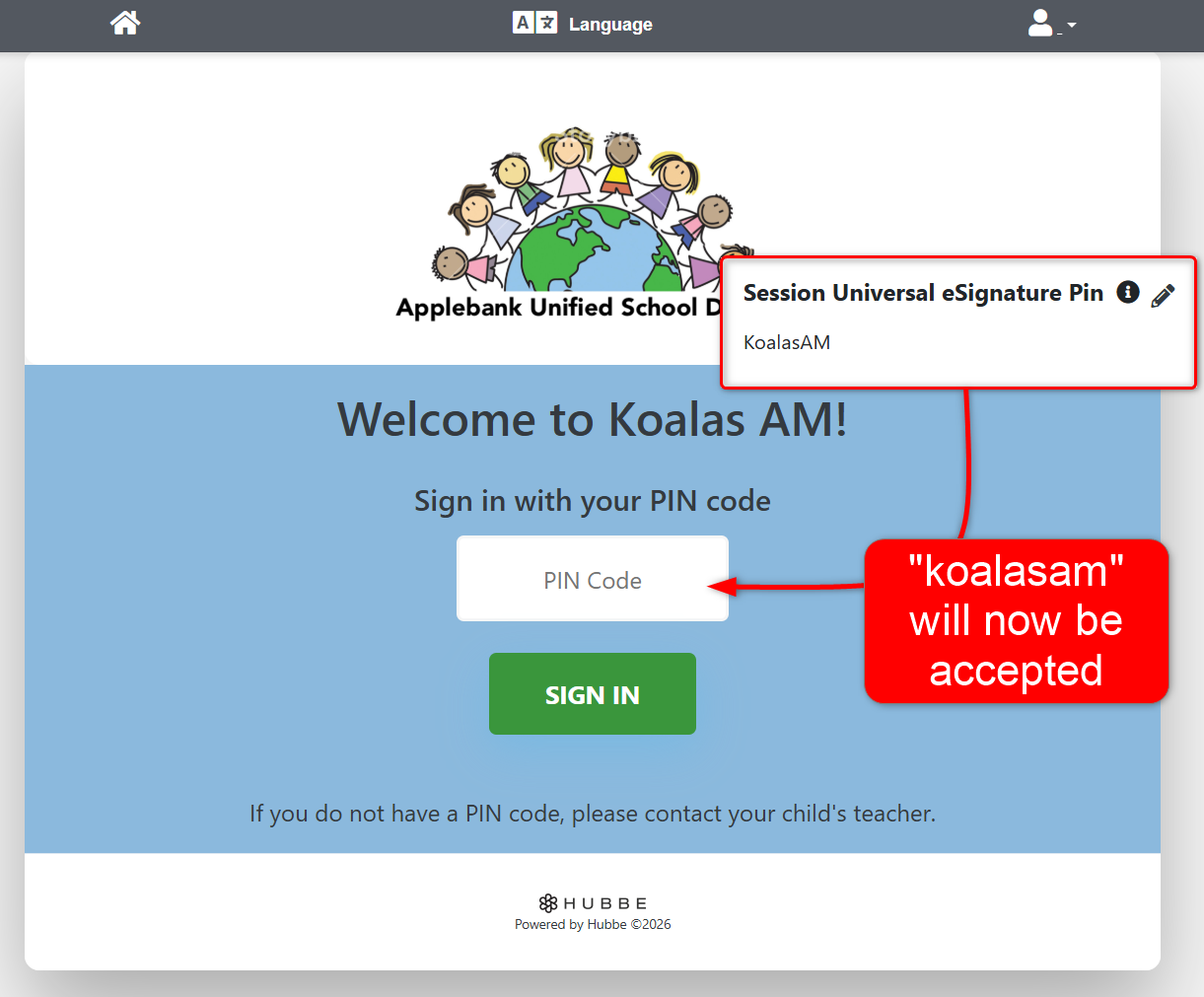
- Removed case-sensitivity from the eSignature Attendance portal PIN code field. For example, a parent can now enter "rh1234" as their PIN code, even if the PIN is listed as "RH1234" on their Parent Record. This update also resolves the issue for Universal PIN Codes.
- This update will only apply to the online version of the eSignature Attendance portal, accessible from the link available on the session record in Hubbe. The same change will be made to the Offline Attendance App in a future update.
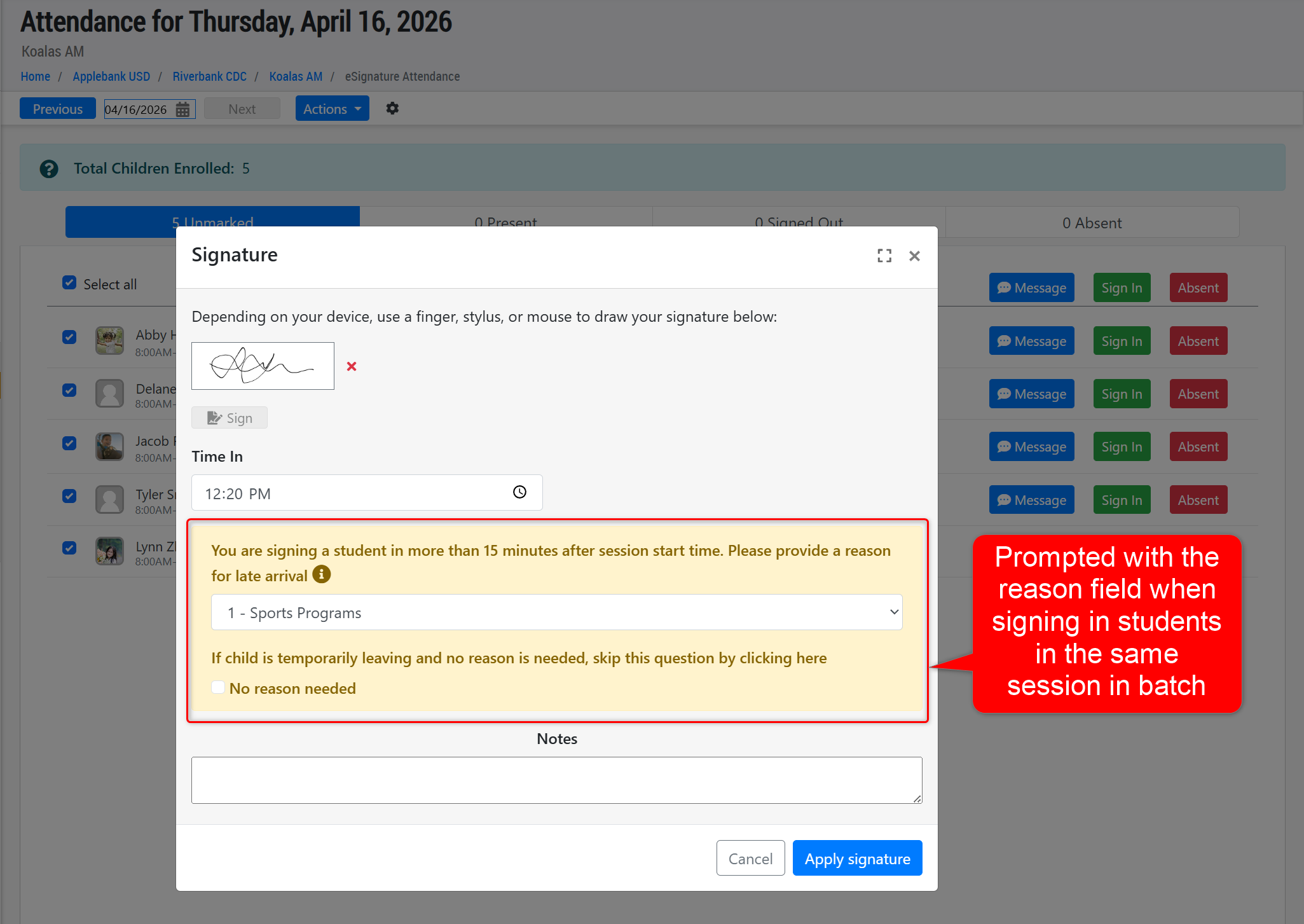
- Added the ability to select a Late Arrival/Early Release reason when signing children in or out in batch. Please note that this will only prompt users to select a reason if the students selected for sign-in/out are in the same session.
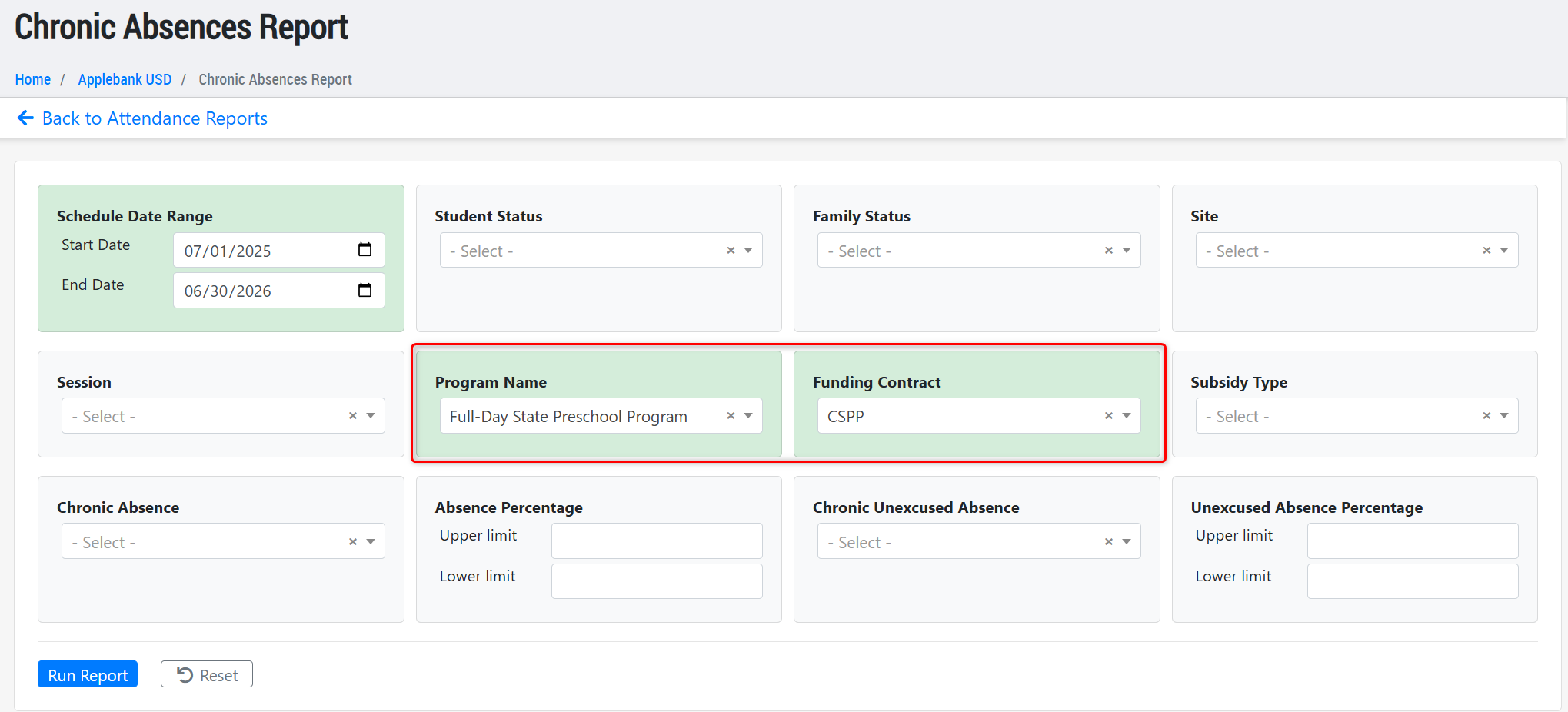
- Updated the Chronic Absences Report to ensure any child who is not currently scheduled is still included in the report when the Program and/or Funding Contract filter is applied. This update was in response to an issue reported by users.
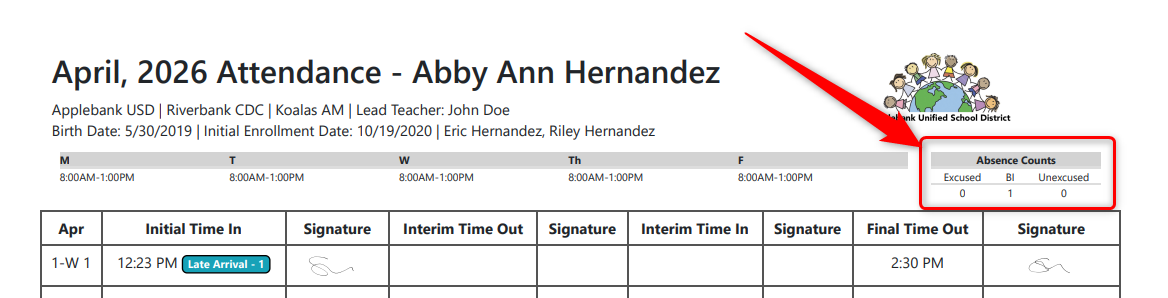
- Updated the student Monthly Sign-In/Out with eSignatures sheet download to ensure the "Absence Counts" section shows the cumulative count for each absence type across all schedules for that fiscal year. For example, if a student transfers mid-year, then any Best Interest absences for the previous schedule will continue to be counted in this section of the attendance sheet for the new schedule.
Applications and Waitlist Enhancements
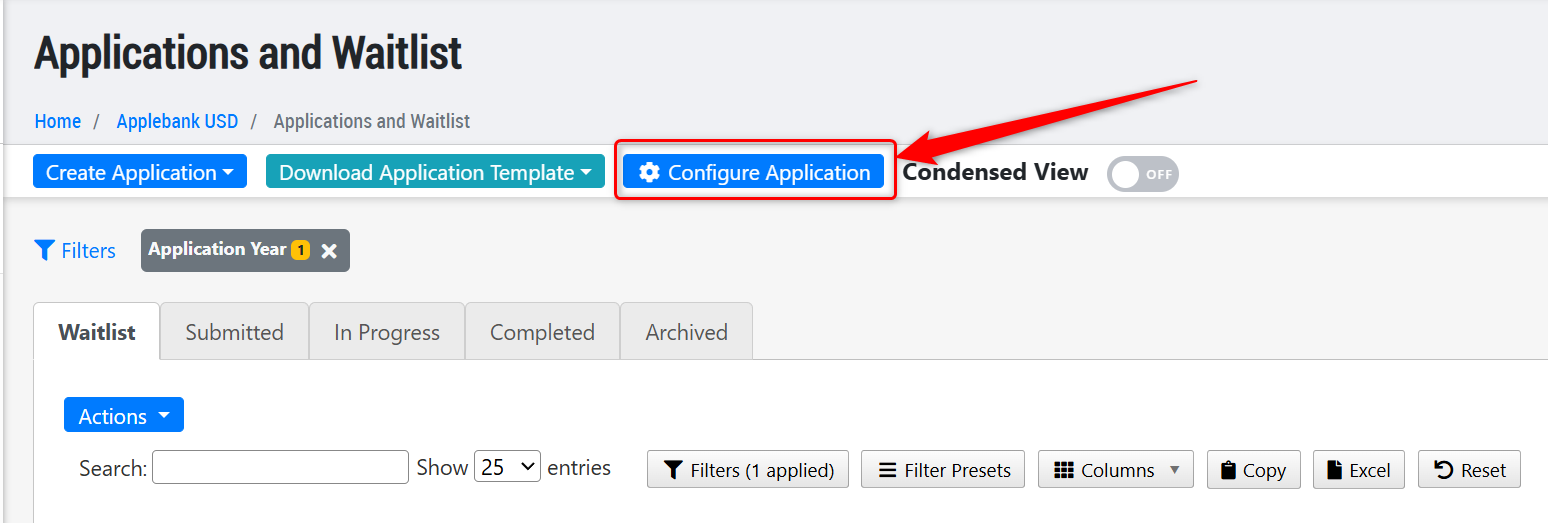
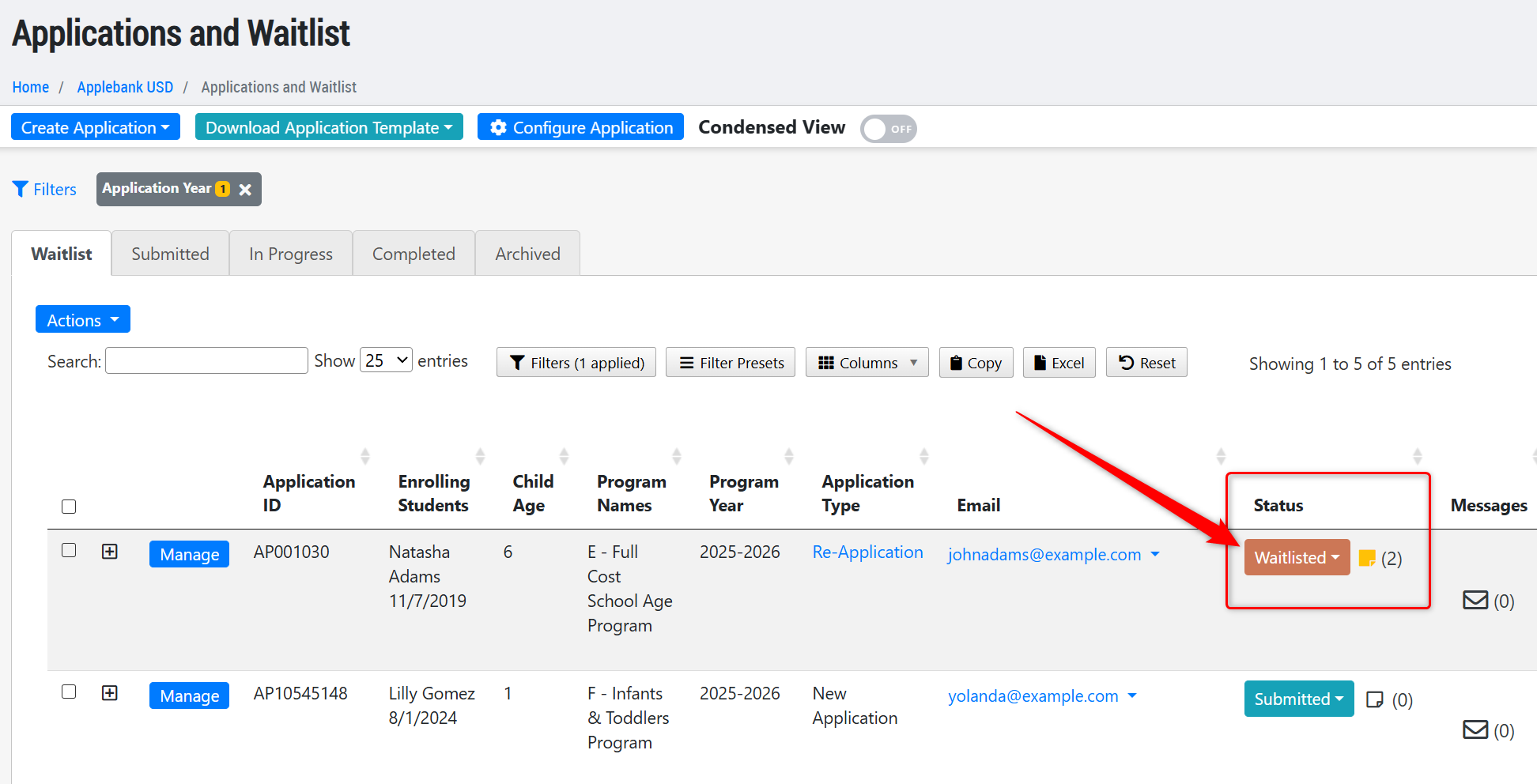
- Added a new status to the Family Application titled "Waitlisted" to better document the families who are on the waitlist. This may help programs designate the waitlisted families for state programs who must be admitted based on admission priority order, or private pay programs who are waiting for a spot to open based on availability. Please note the following items on how to configure this setting and how it will work:
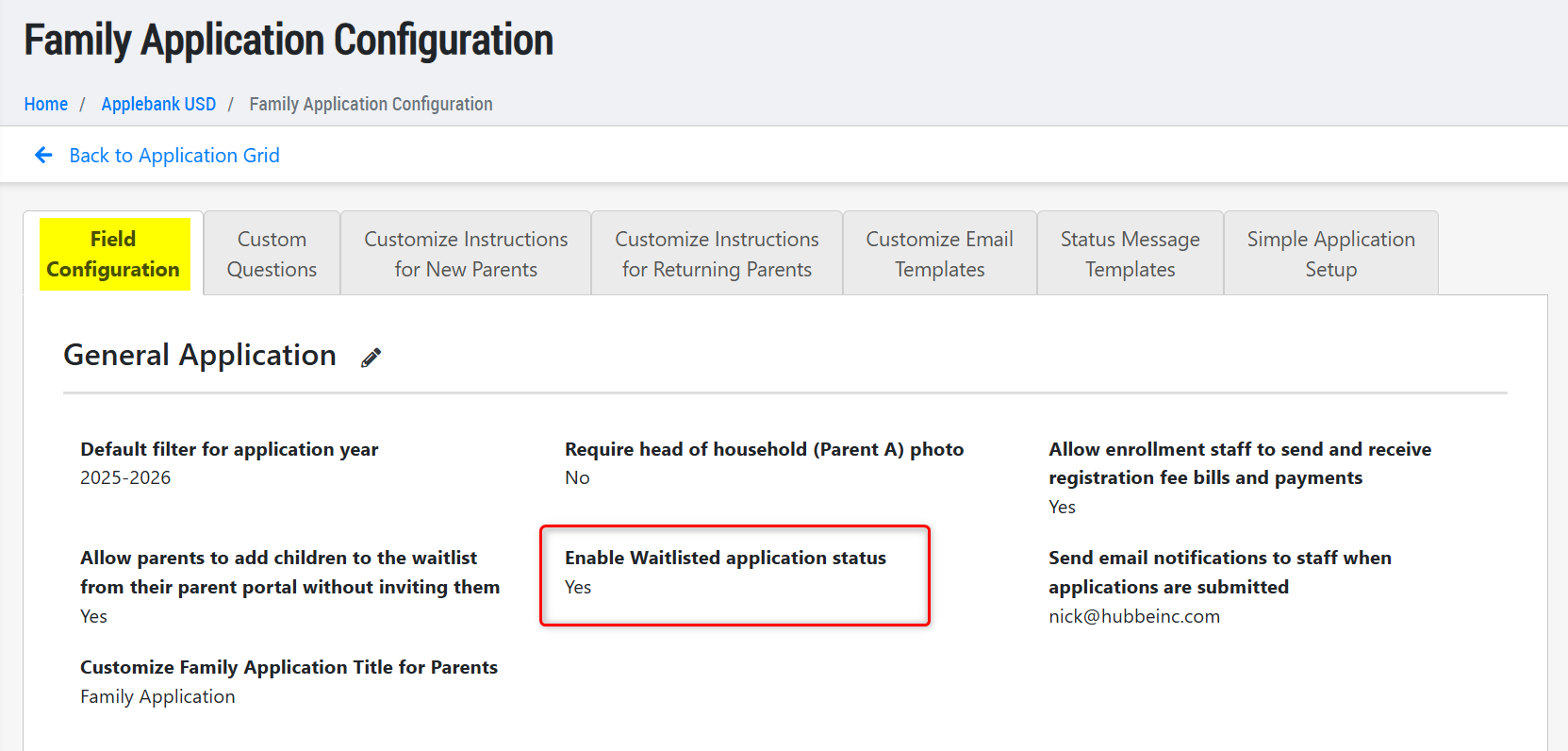
- Setup - This status must be enabled in you Family Application Configuration area, within the Field Configuration tab, titled "Enable Waitlisted Application Status." This setting will be defaulted to "No" upon release of this update; if the setting is enabled and applications are marked as "Waitlisted" and then later disabled, those applications will revert to a status of "Submitted"; however, if the setting is re-enabled then those same applications will return to their "Waitlisted" status again.
- How it Works - An application may only be set to "Waitlisted" status if it has not yet been intaken, and is either in the "Waitlist" or "Submitted" tabs with a status of "Submitted" or "Enrollment in Process." The reason an application must meet these criteria is because an application may be intaken with the "Waitlisted" status, so it must include all required information and be ready for enrollment.. An application that is set to "Waitlisted" will automatically be moved to the "Waitlist" tab of the Applications and Waitlist grid, if not already there.
Staff Education Updates to Support the CAPSDAC 2.0 Report
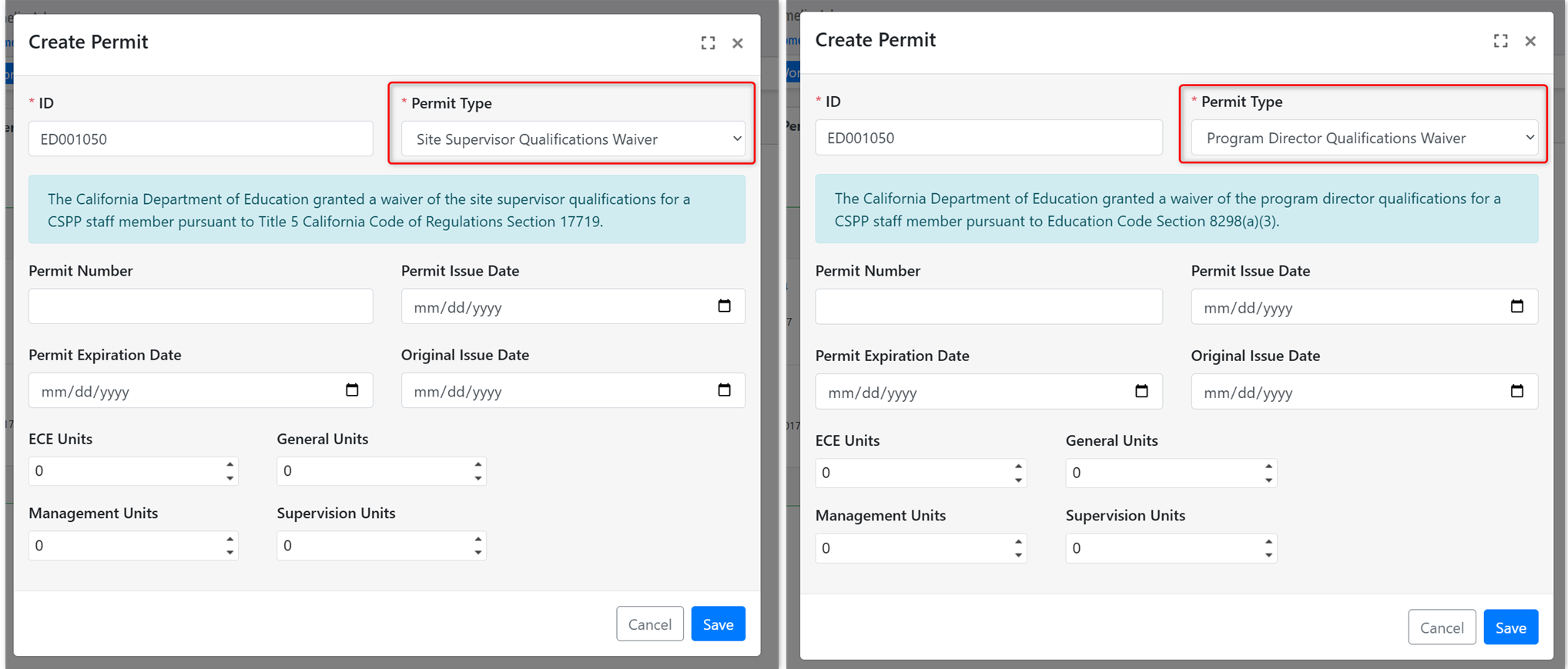
- Added two new Permit types available within a staff's Education record: Site Supervisor Qualifications Waiver, and Program Director Qualifications Waiver. These permit types will map accordingly to the CAPSDAC 2.0 Report within the "Permit/Credential Type" and "Waiver Type" columns.
- Important - If any staff previously had a Permit or Credential type of "Local Assignment Waiver" then this was automatically mapped to the "Site Supervisor Qualifications Waiver" with the same status as before. If this needs to be updated to the "Program Director Qualifications" waiver, then that can be done so in the "Permit" tab of the staff's Education record.
Single-Sign-On (SSO) Updates
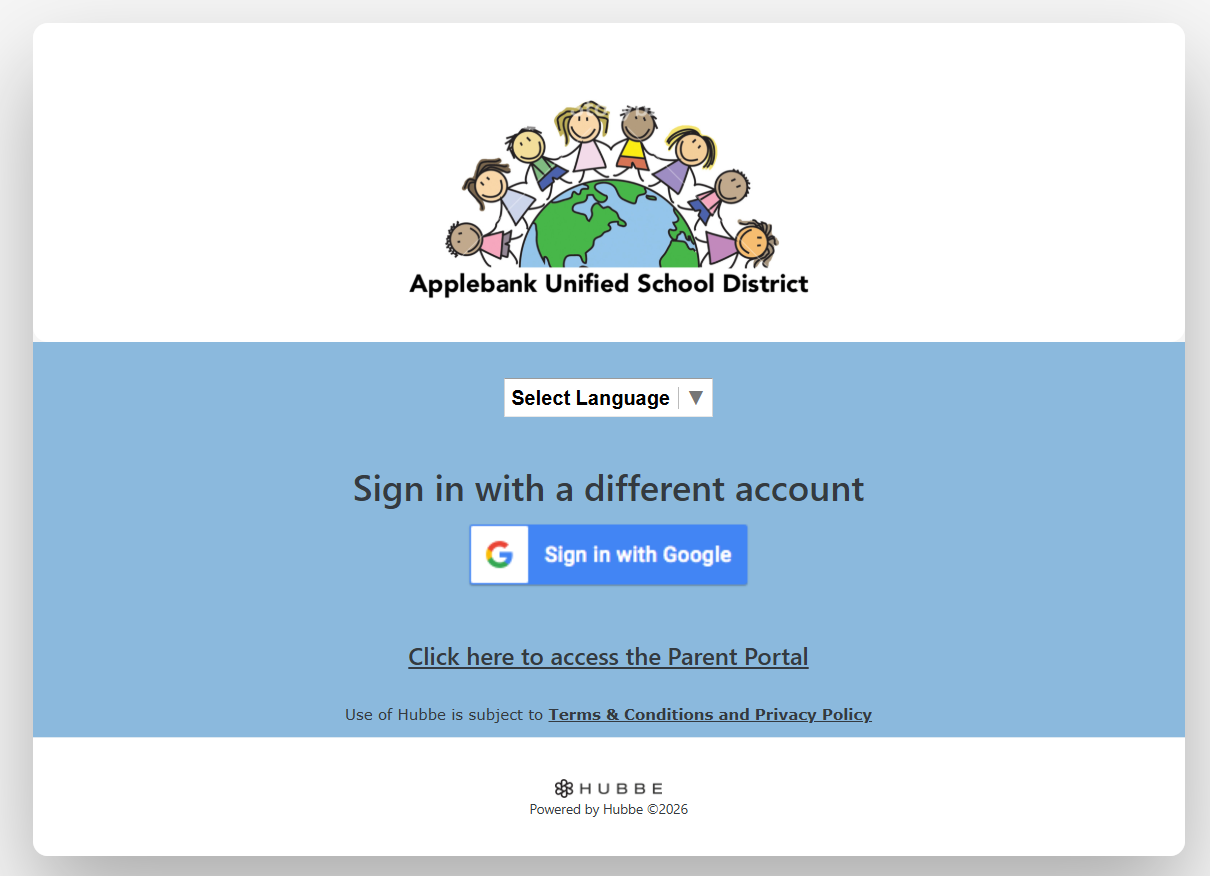
- Added two new settings to configure the SSO login process, as follows:
- Hide Hubbe Sign-In Option - When enabled, the "Sign in with Hubbe Account" section including the Username and Password fields will be hidden. This leaves only the SSO option for users to login with. Please note, there will be an alternative URL that will still show the Username and Password fields which can be used by Agency Admins to login with their Hubbe credentials.
- Use Agency Color Preferences and Logo on Login Page - When enabled, the SSO login page will use the agency's customized color and logo. If disabled, the login screen will continue to use the Hubbe logo and coloring (grapefruit).
- The image below shows an example when both new settings are enabled:
Child Referral Enhancements
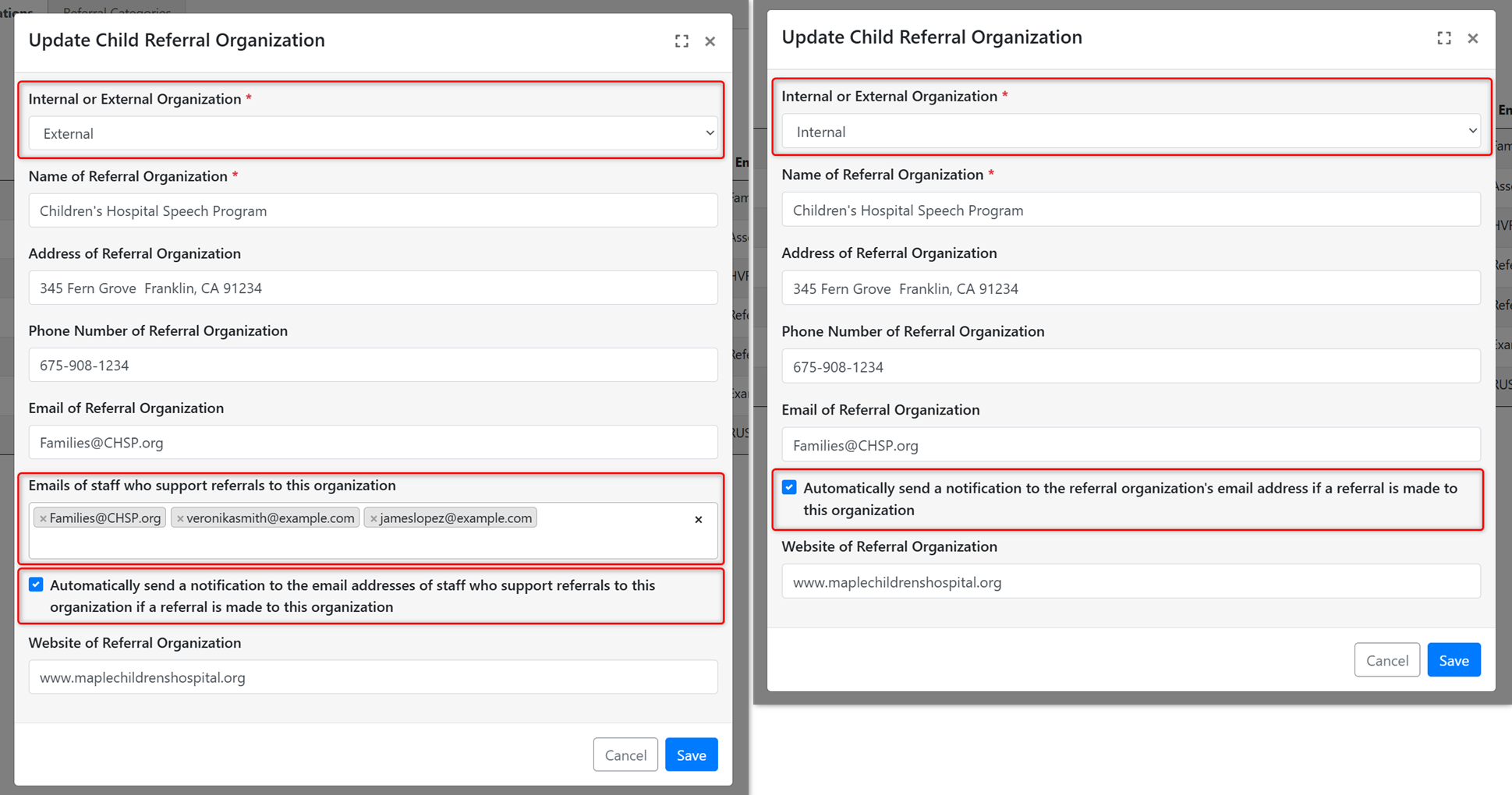
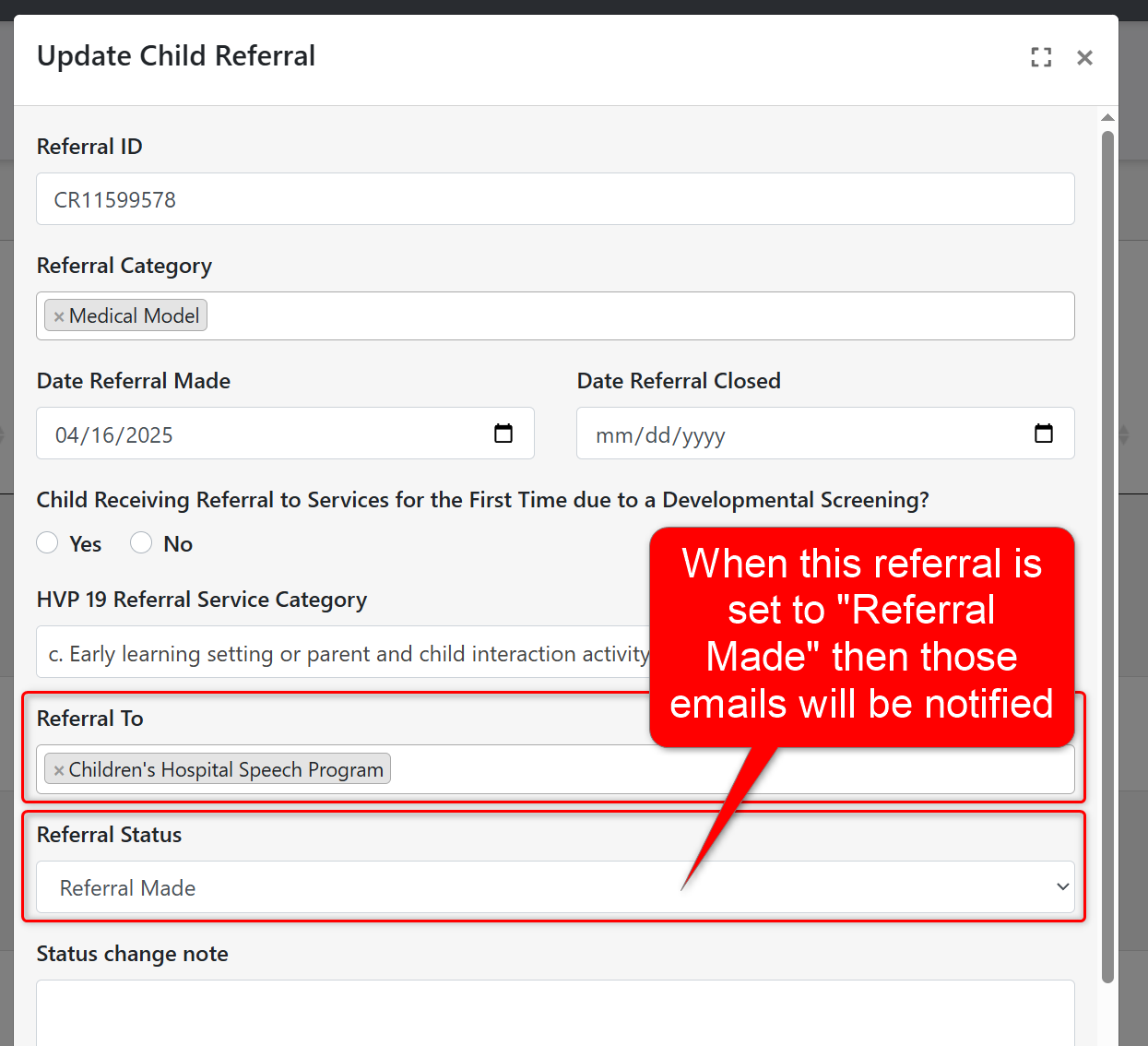
- Added a new field to the Child Referral Organization record that allows users to mark the organization as Internal or External. For both types, there will also be a new option to automatically send a notification to the staff who support referrals to the organization. This means that anytime a Child Referral has a status set to "Referral Made" then an email notification will be sent to the email addresses listed for the organization. To easily track internal/external referrals, there will also be a new column and filter on the Child Referrals grid to sort for either type. Please note this same update will be coming to the Parent Referral feature soon.
Family Billing Enhancements
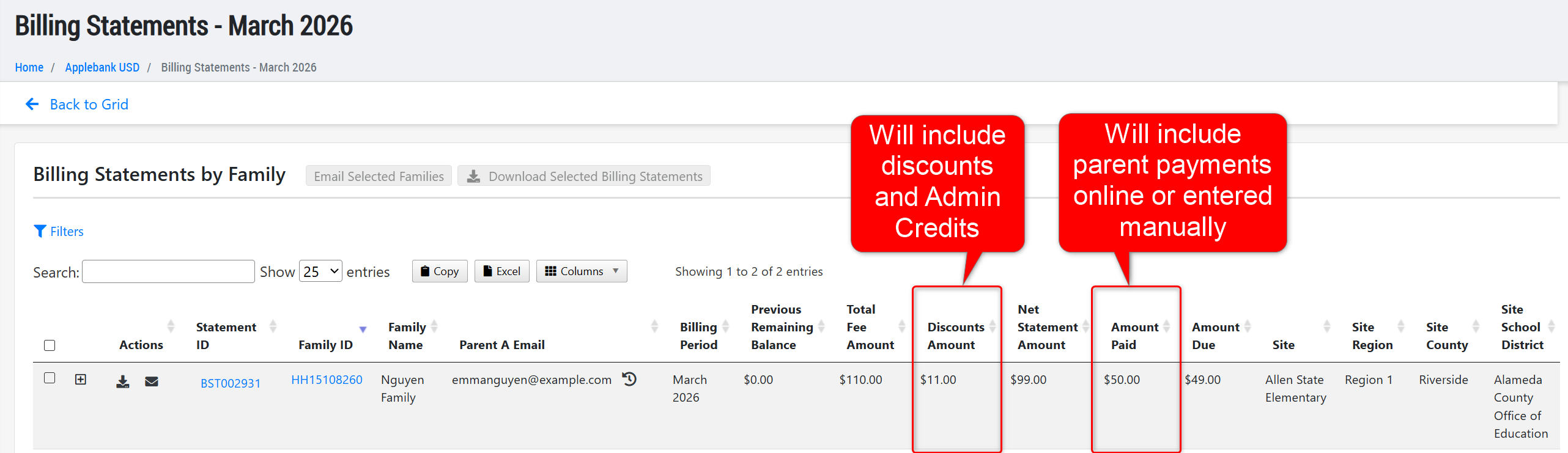
- Updated the Billing Statements grid within a Billing Period to ensure the "Discounts Amount" column includes an Credit Adjustment amount, and does not get added to the "Amount Paid" column. Additionally, we have updated the site-level Billing Statements grid to ensure only the statements for the families scheduled to that site appear in the grid.
Student Enrollment & General Enhancements
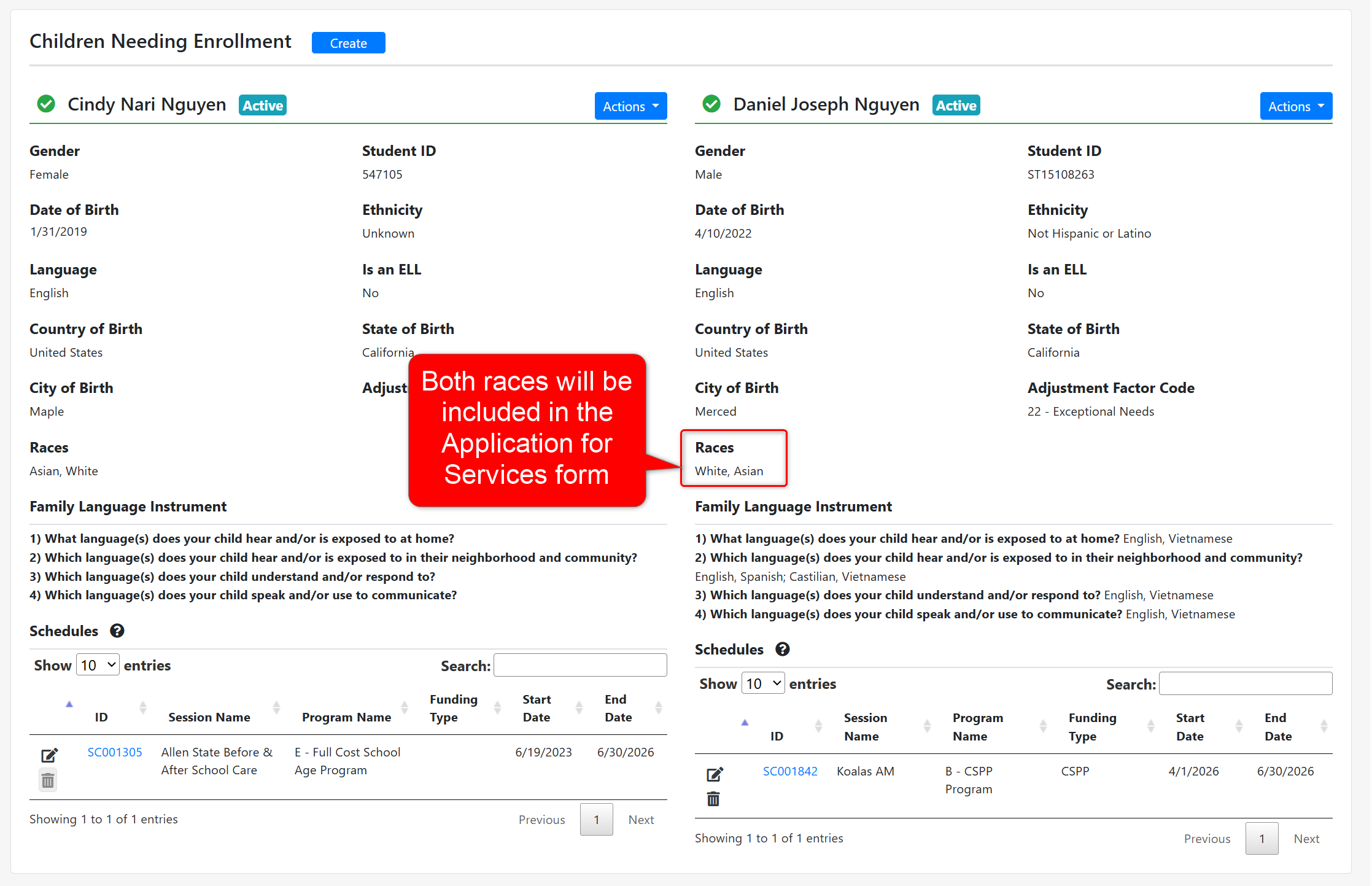
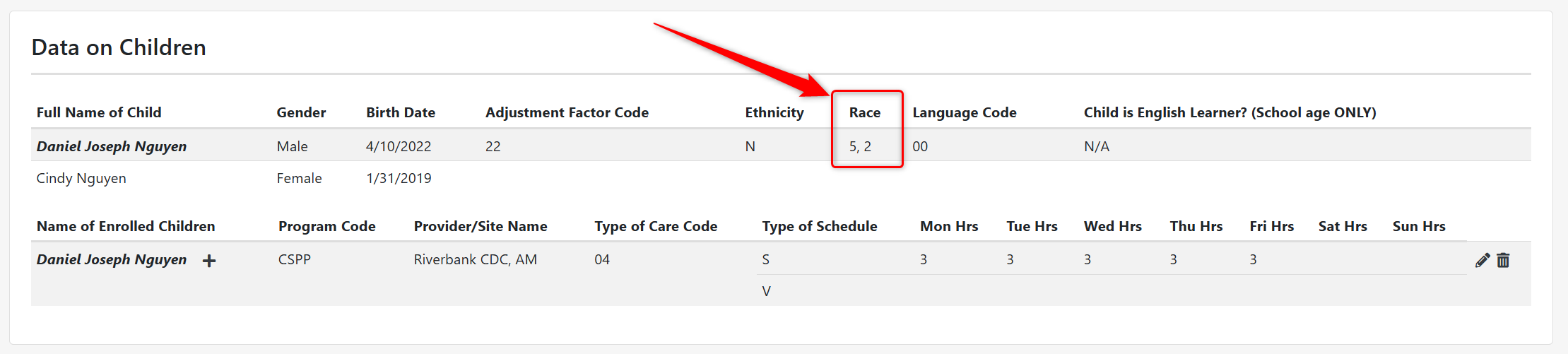
- Updated the family's Subsidized Certification Wizard to ensure the child's Race retrieves all race(s) entered in any State Race or Federal Race field for the child, and includes those race(s) within the Application for Services for the child.
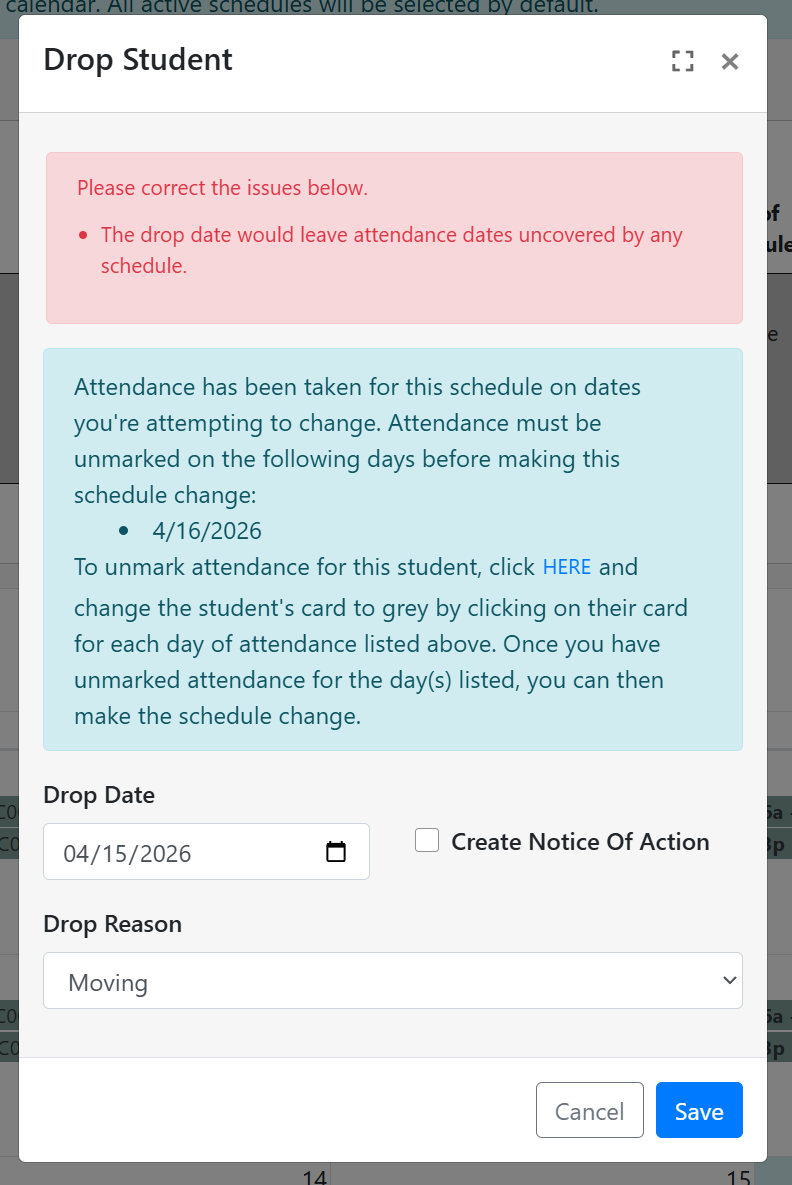
- Implemented safeguards when dropping a student to ensure that the schedule cannot be ended if there is attendance data after the assigned "End Date." In this scenario, the child must be dropped after the last attendance event, or those attendance events must be removed.
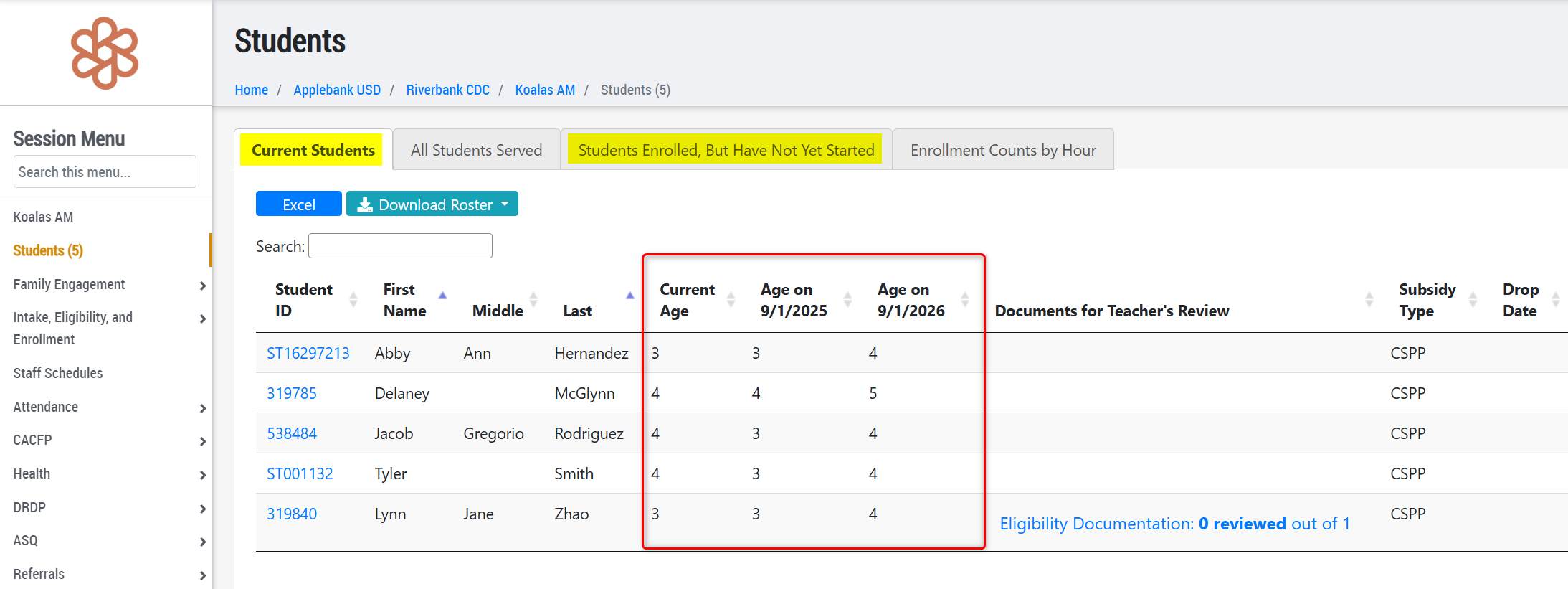
- At the session level Students record, we have updated the age-related columns in both the "Current Students" tab and the "Students Enrolled, But Have Not Yet Started" tab to show the children's Current Age, Age on Sept 1st within the current fiscal year, and Age on Sept 1st within the next fiscal year. This can help staff monitor enrollment for current and upcoming years.
CAPSDAC 2.0 Updates
- We have continued to work on the CAPSDAC 2.0 Report in Hubbe to ensure all domains keep up to date with field and validation changes released by the CAPSDAC team. We also continue to fix items discovered by our team and users participating in the Beta testing with the CAPSDAC team. More about these feature tools will be detailed in later release notes once the Hubbe CAPSDAC 2.0 Report is no longer in Beta testing.
Fixes & Adjustments
- Fixed an issue reported by users with the Student Race fields in various reports, such as the 801A and CAPSDAC reports.
- Updated the Coach Log to ensure the new note sections for "Mental Health Advisor Internal Notes" and "Behavioral Specialist Internal Notes" are only viewable by users with those respective roles.
- Fixed an issue reported by users when trying to create a new Document Checklist for families in certain scenarios.
- Updated an API endpoint for the Synergy SIS to retrieve immunization dates for children who are updated in Hubbe via this API.
- Fixed an issue reported by users when applying the "Schedule Status" filter with "Inactive" selected on the All Schedules grid.
- Updated the Family Application Portal to ensure only the applicable Income Tables display within the program's description pop-up modal, if clicked by the parent. The income tables that could show for a program would be according to the Funding Contracts assigned to the Agency Program within your agency. For example, a Program that has a CSPP contract assigned will show the CDE Income Table, whereas the CCTR contract will show the CDSS Income Table, and the Early Head Start contract will show the Head Start Income Table.
- Updated the CDE/CDSS Certification Management grid to address speed issues reported by clients, including the optimization of filters and only including children who are enrolled with a subsidized contract in the grid.
- Fixed an issue reported by users when trying to enter an income amount in the manual "Override Income" field at the top of the Income Calculator Worksheet.
- Fixed the site-level Parent Survey Results area to ensure only the results of the parents at that site show in this tab.
Was this article helpful?
That’s Great!
Thank you for your feedback
Sorry! We couldn't be helpful
Thank you for your feedback
Feedback sent
We appreciate your effort and will try to fix the article