TABLE OF CONTENTS
- Mental Health Consultation Services Updates
- Schedule Enhancements to Support the Upcoming CAPSDAC 2.0 Report
- Additional CAPSDAC 2.0 Report Updates
- CACFP Enhancements
- General Enhancements
- Role Permission Updates
- Fixes & Adjustments
Mental Health Consultation Services Updates
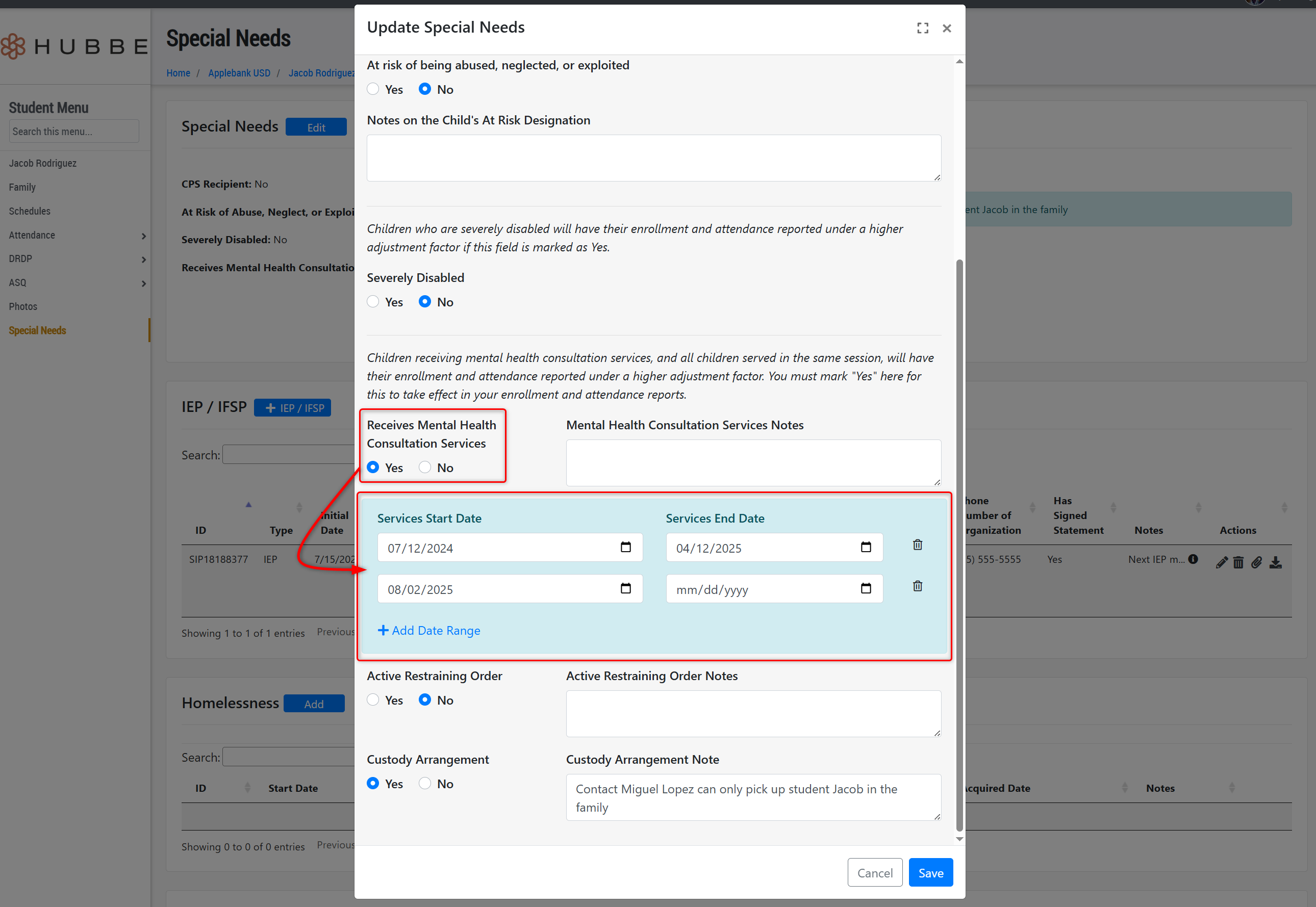
- We have updated the student's "Receives Mental Health Consultation Services" field in the Special Needs record to allow users to add multiple date ranges in which the child received services. This allows users to enter an end date for services and then re-start services at a later time by adding a new date range, if needed. In reporting, the student will only qualify for MHCS status during the period(s) in which the MHCS date range(s) are active.
Schedule Enhancements to Support the Upcoming CAPSDAC 2.0 Report
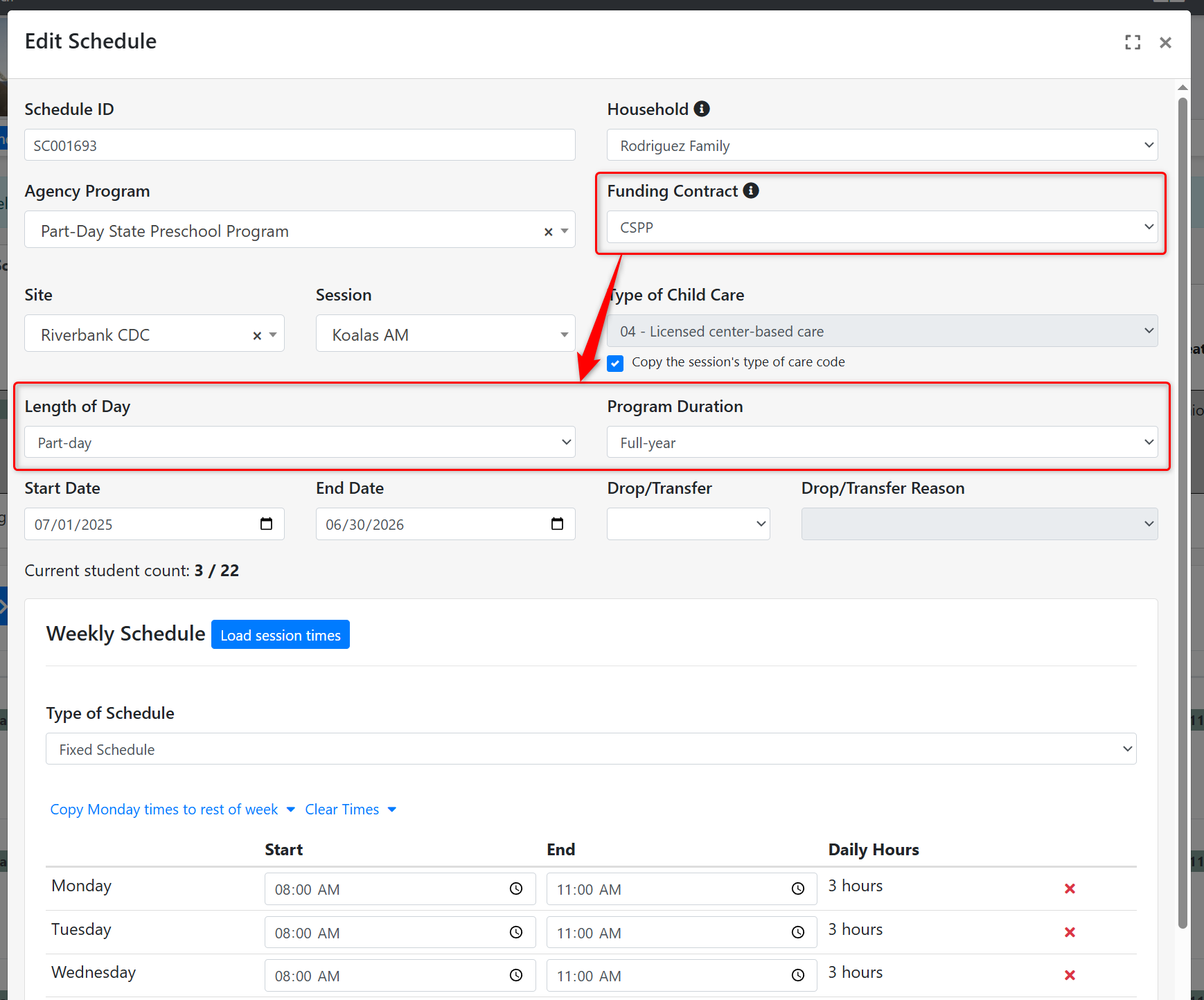
- Program Duration - We have added a new field to the schedule called "Program Duration" with values of Full-year and Part-year. This field will only appear in the Schedule modal for schedules with a CSPP contract selected - otherwise, this field will not show in the schedule modal.
- To ease with data management at the time of releasing this update, we will auto populate this new field for any current CSPP schedule with either "Full-year" if the schedule's program calendar has more than 246 operational days in the fiscal year, or "Part-year" if the schedule's program calendar has 246 days or less in the fiscal year.
- In addition, this field will auto populate for any newly created schedules that have a CSPP contract selected with the applicable value, as described previously.
- We have also added it to the Schedules import so users can import and update this value for schedules, if needed.
- This value will be needed for the upcoming CAPSDAC 2.0 Report and only applies to CSPP schedules.
- Length of Day - In addition, we have made updates to the existing schedule field titled "Length of Day." Previously, this field's values included Half Day, Three Fourths Day, Full Time, and Full Time Plus. This has been changed to now only include Part-day and Full-day options, and will now also only appear for schedules with a CSPP contract selected - otherwise, this field will not show in the schedule modal.
- To ease with data management at the time of releasing this update, we will auto populate this new field for any current CSPP schedule with either "Full-day" if the schedule previously had Full Time Plus, Full Time, or Three Fourths Day selected, or "Part-day" if the schedule previously had Half Day selected.
- This value will be needed for the upcoming CAPSDAC 2.0 Report and only applies to CSPP schedules.
Additional CAPSDAC 2.0 Report Updates
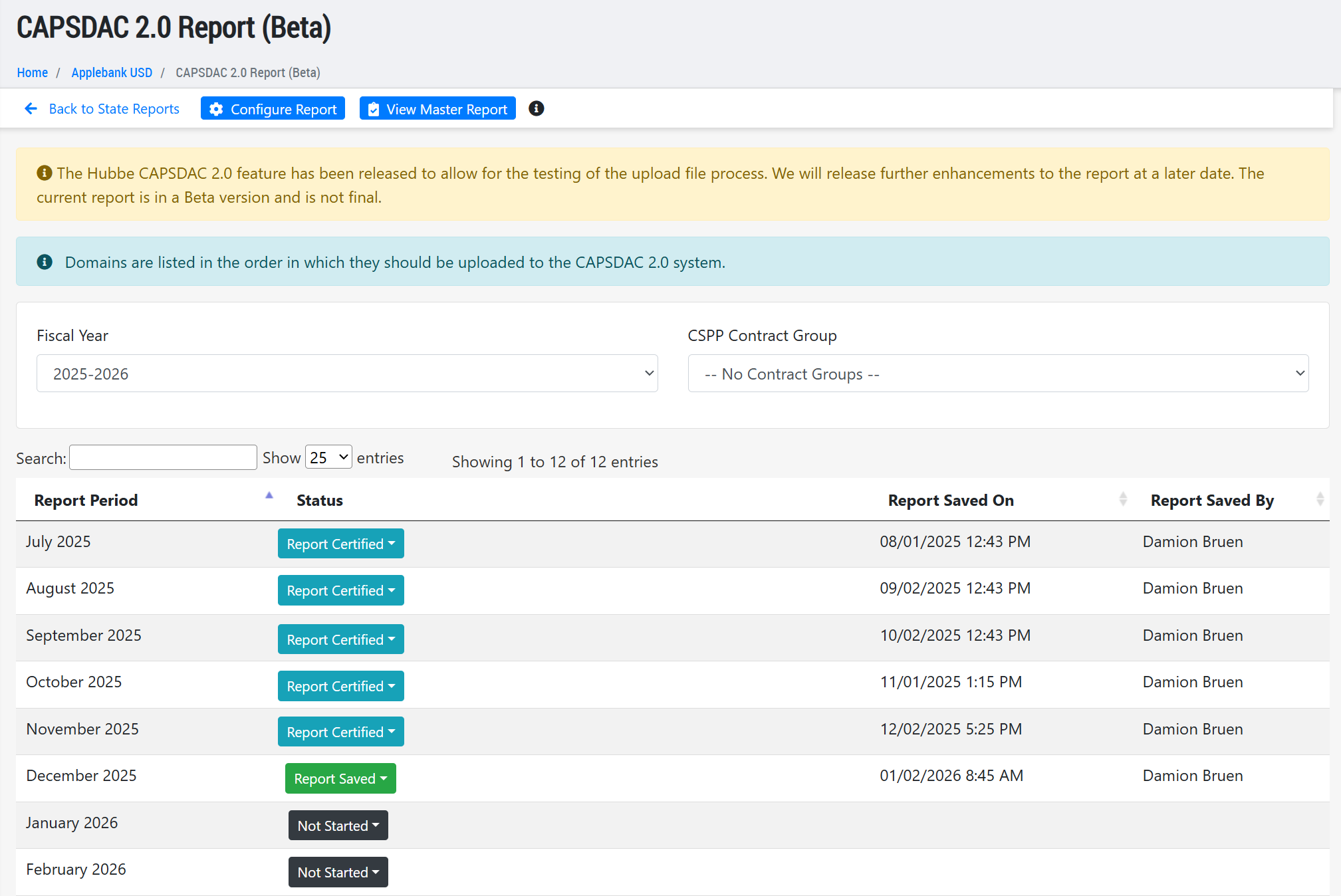
- We have continued to work on the CAPSDAC 2.0 Report in Hubbe to ensure all domains keep up to date with field and validation changes released by the CAPSDAC team. We also continue to fix items discovered by our team and users participating in the Beta testing with the CAPSDAC team. In this latest release, we have also implemented various improvements to optimize the submission process in Hubbe. More about these feature tools will be detailed in later release notes once the Hubbe CAPSDAC 2.0 Report is no longer in Beta testing.
CACFP Enhancements
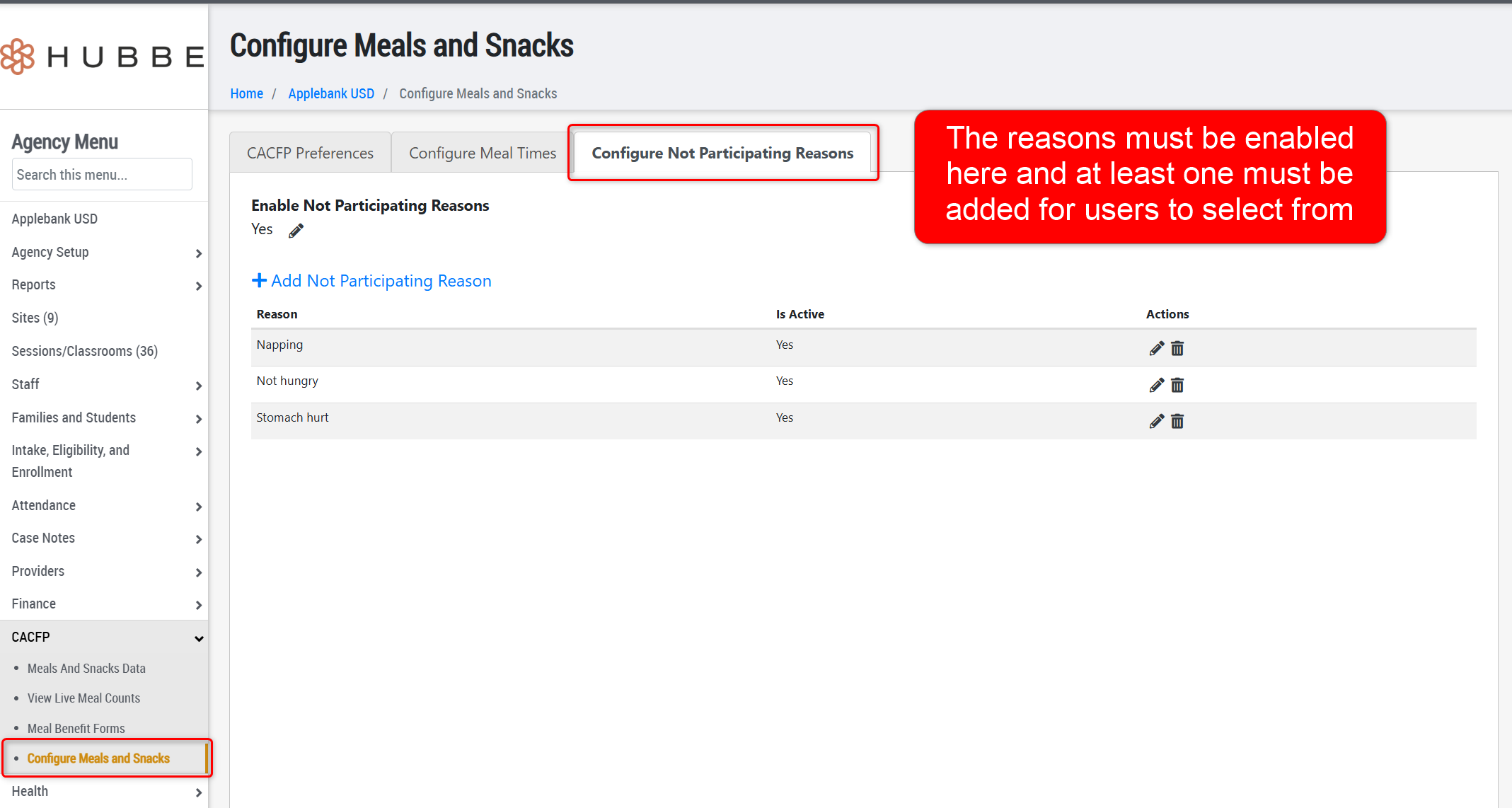
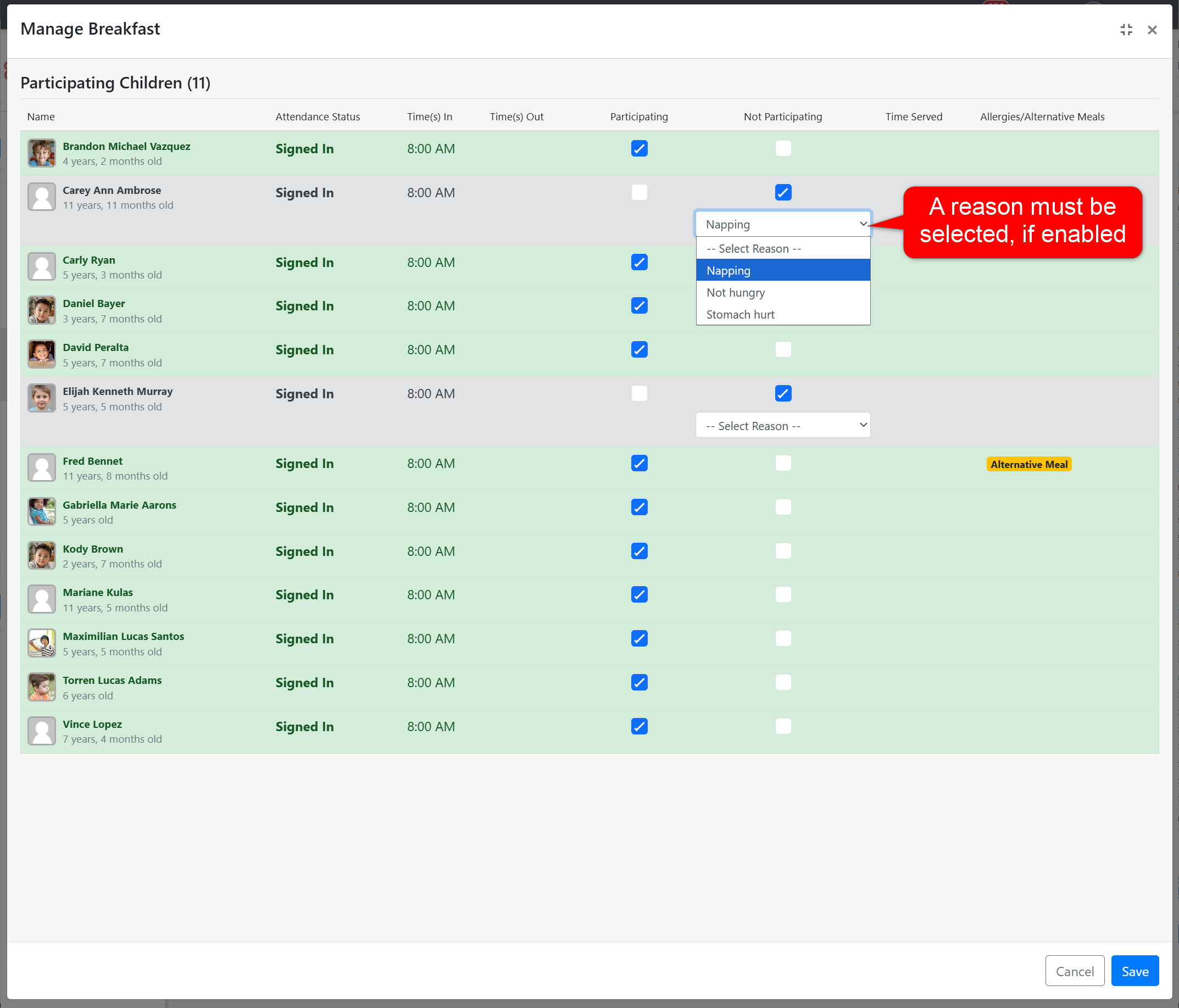
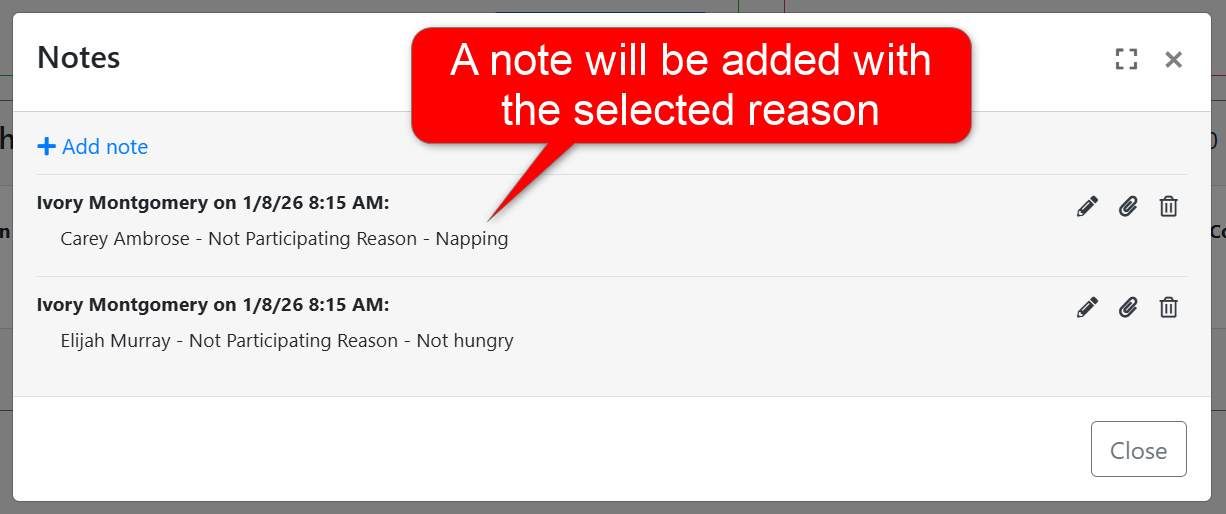
- We have implemented a new "Not Participating Reason" feature to Meal Counts that allows users to configure various reasons for why a child did not participate in the meal that a teacher can select from. If enabled, the staff marking the non-participating meal will be required to choose a reason from the provided list. Upon saving the meal counts, a note will be created that lists the child's name and the reason they did not participate in the meal. This note is available from the Meal Counts modal at the session level, and in the "View Live Meal Counts" record at the agency and site levels.
- To support the addition of the Not-Participating Reasons, we have updated the "Configure Meals and Snacks" area to now be three (3) tabs: CACFP Preferences, Configure Meal Times, and Configure Not Participating Reasons. The settings that previously lived in this area will be split up into the first two tabs, and the new Not-Participating reasons can be enabled and configured in the third tab.
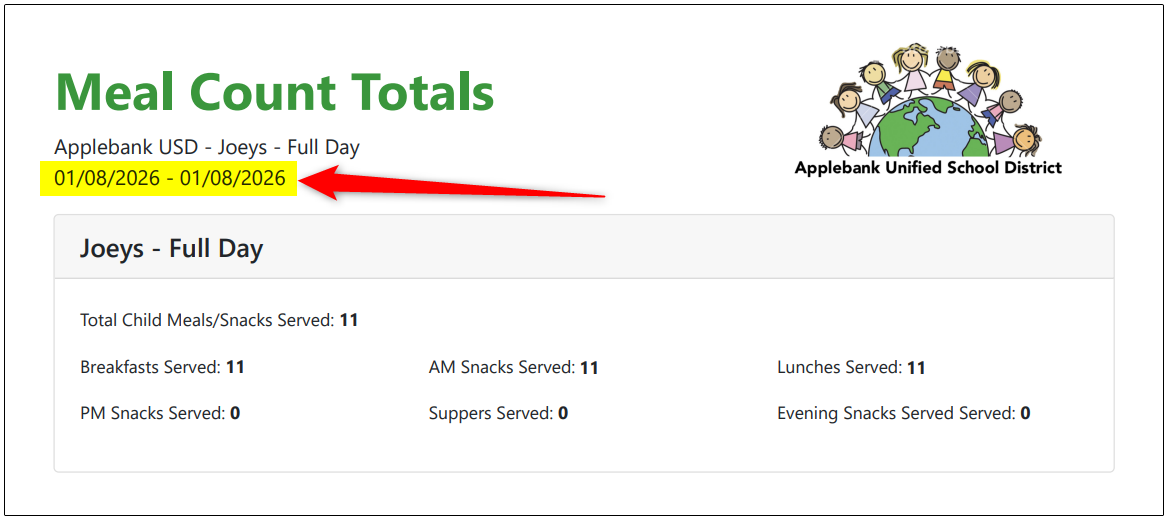
- Added a date range to the download of live Meal Counts by Sites and Sessions so users can view the date range that the associated meal counts are for. We also updated the report to ensure the start/end date filters accurately adjust the meal counts according to the date range selected. This report can be found at the agency level within the "Counts by Sites and Sessions" tab of the Meals and Snacks Data record, or at the site level within the "Counts by Session" tab of the Meals and Snacks Data record.
- To the Meal Benefit Forms record, we have implemented the following updates:
- Added a date range to the "Session" filter so that users can filter for families scheduled to a session during a specified date range.
- Added the following three columns to the grid: Session, Funding Contract, and Agency Program.
- Added an Excel download tool to the grids.
General Enhancements
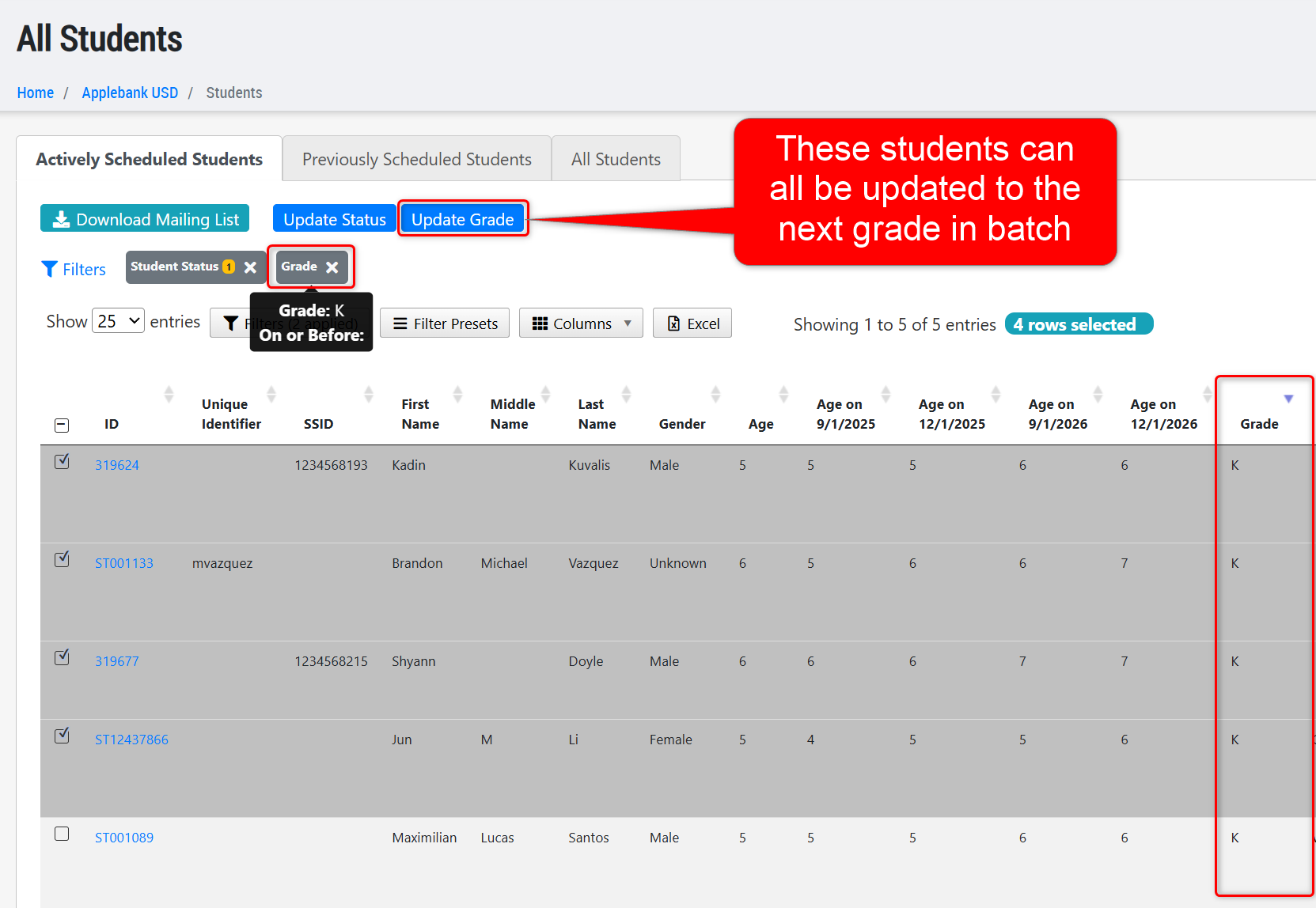
- Added a new action button to the All Students grid at the agency level, titled "Update Grade", along with a new column and filter for "Grade" as well. Now users can filter for students in a selected grade, multi-select in the grid, and click "Update Grade" to add a new grade level to all selected students - such as for a class of children moving from 1st grade to 2nd grade together.
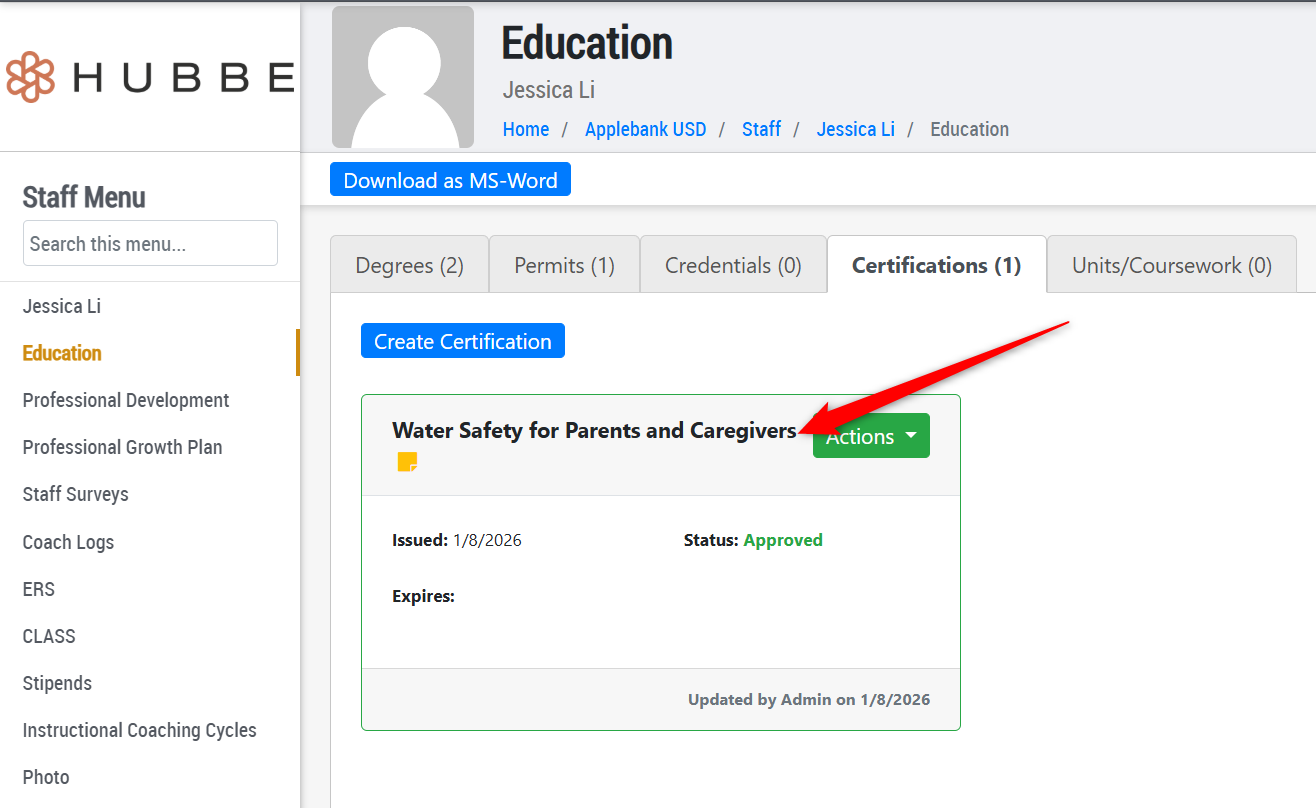
- Added a new "Certification" type of "Water Safety for Parents and Caregivers" in the staff Education record. This addition was made in accordance with licensing requirements for staff certifications in safe water play if the center has water on playgrounds.
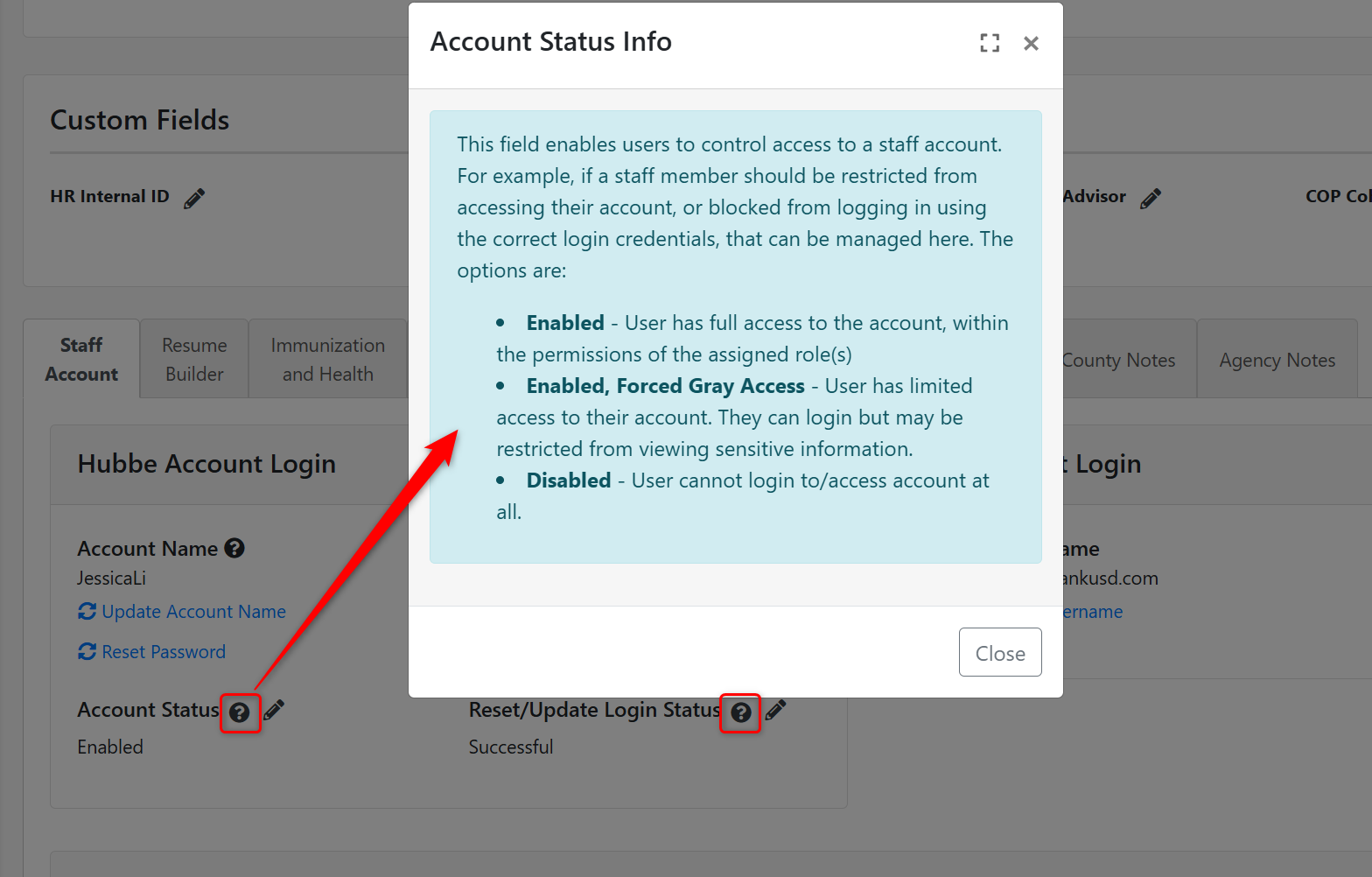
- Added helpful information to the "Account Status" section of a staff record, to explain the "Account Status" and "Login Status" fields and what each option will do.
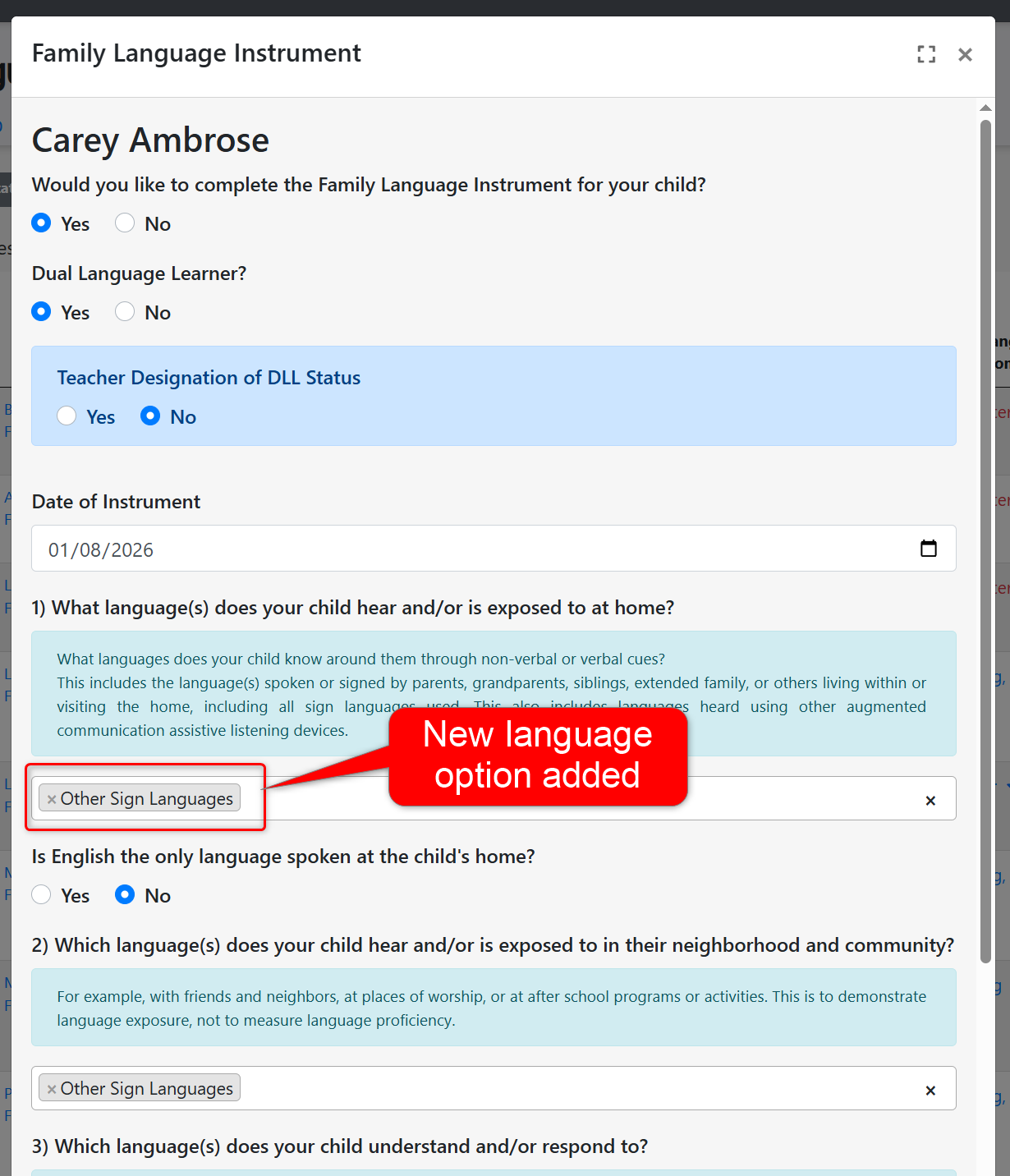
- Added a new language option to the Family Language Instrument Survey and Family Language Interest Interview forms called "Other Sign Languages." This addition was made in accordance with the updated list of languages provided by the state.
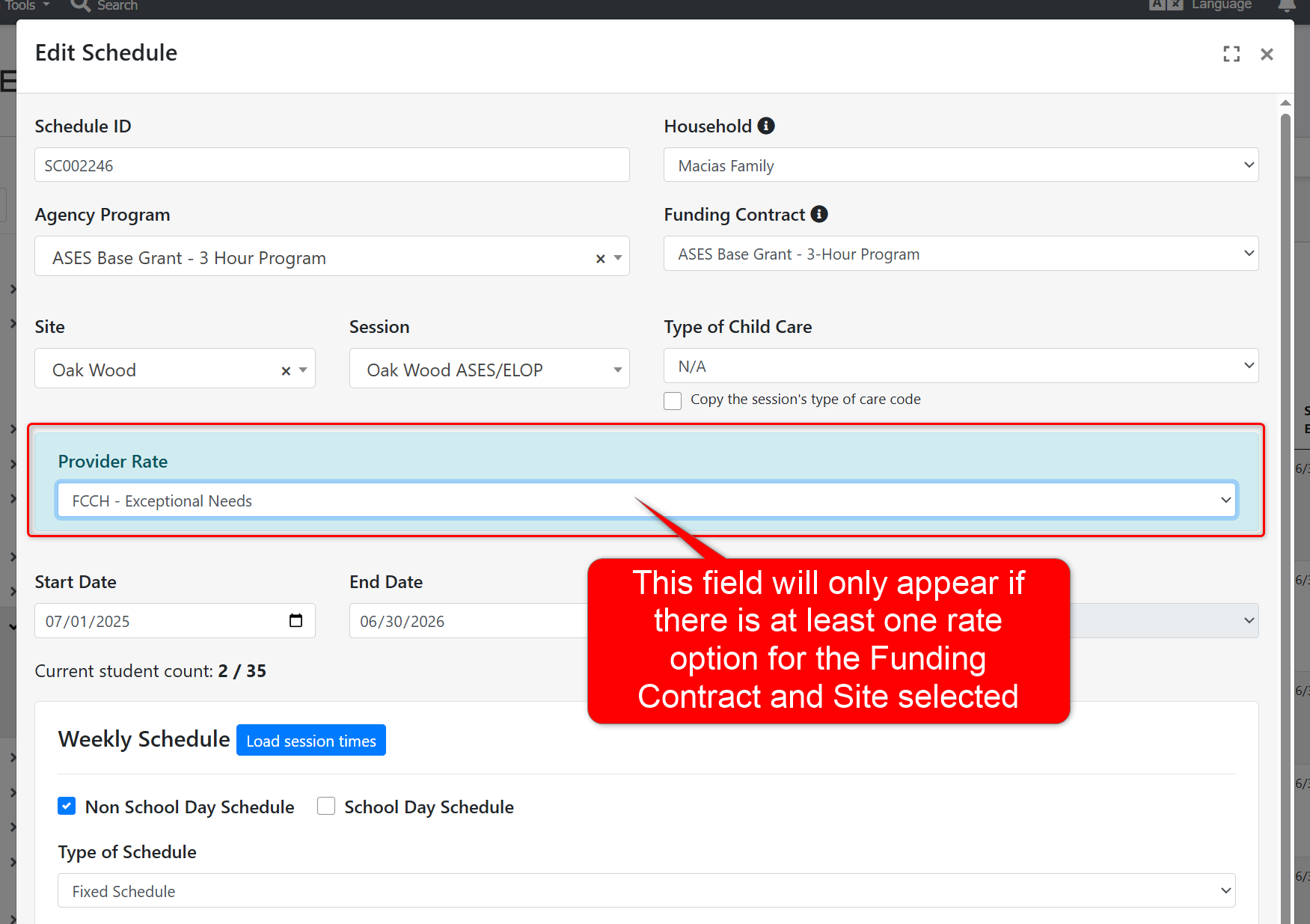
- Updated the student Schedule modal to ensure the "Provider Rate" field only appears for the schedule if the selected Funding Contract and Site are included in a Provider Rate (configured at the agency level). Otherwise, this field will no longer show if there are no Provider Rate options to select for the schedule.
- Updated the PLIS Report to ensure the "Facility or License Number" column will only display license numbers for licenses that have been assigned to the child's scheduled session. This update that allows users to assign CCL licenses to specific sessions at the site was recently released, and has now been applied to the PLIS Report to ensure this information is reported accurately for the upcoming submissions period. Please note that if the CCL License is not assigned to any specific sessions, then it will automatically apply to all sessions at the site. Furthermore, any CCL license that is assigned to a specific session will override any site-wide CCL Licenses for that session in the report.
Role Permission Updates
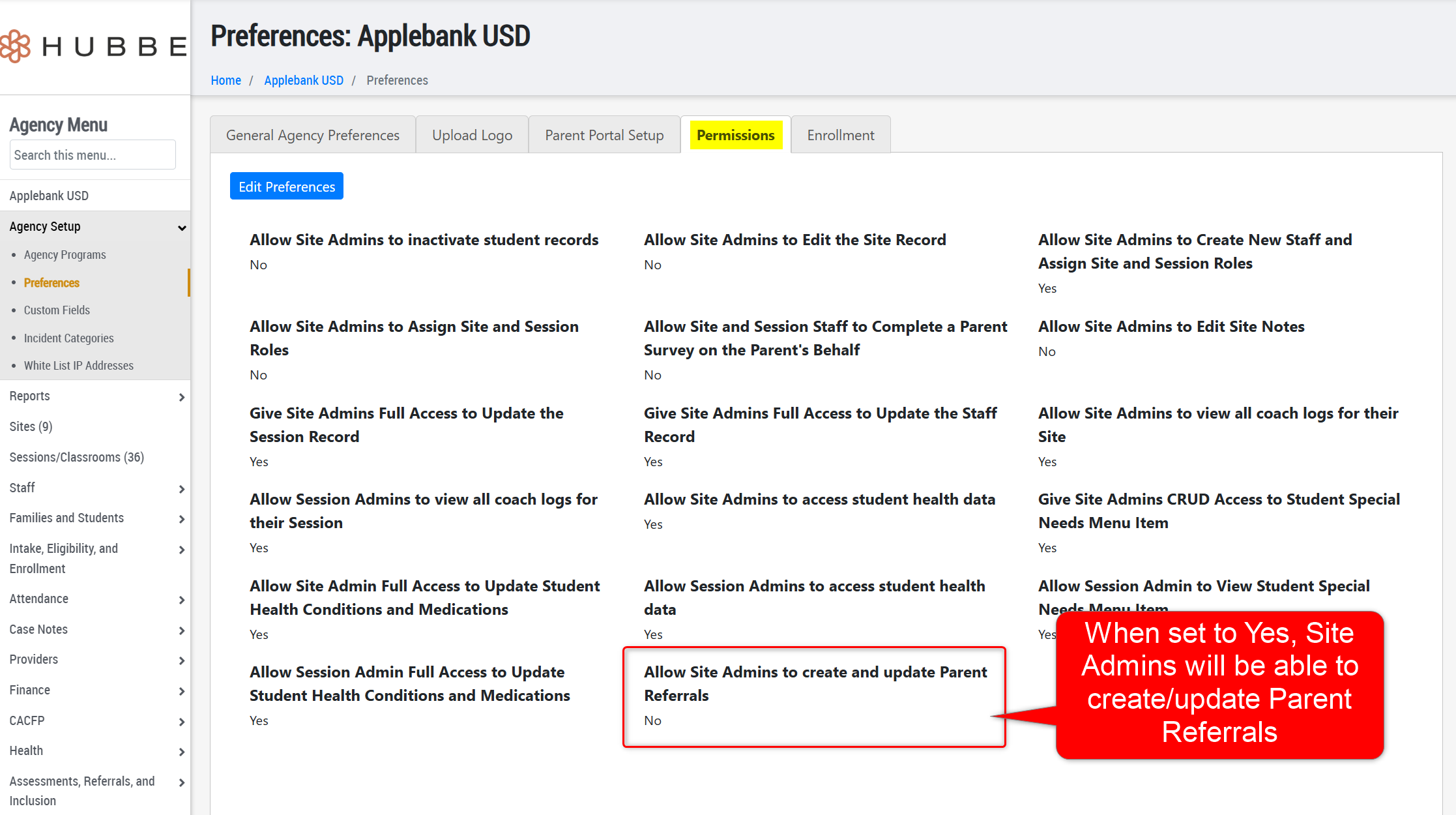
- Added a new Agency Preference within the "Permissions" tab for Site Admins titled "Allow Site Admins to create and update Parent Referrals." When enabled, users with the Site Admin role will be able to access the Parent Record and create/update Parent Referral records - please note access to the parent record is very restricted still. Otherwise, users with the Site Admin role will not be able to access the Parent Record or create/update Parent Referral records.
- We have updated the role of Intake and Eligibility Coordinator so that the Family Fee Plan is view-only, without access to editing discounts, CAPP Certificates, or fee rates. If any users with this role previously managed fiscal details, the role of Billing Manager can be added to the staff account to provide this access.
Fixes & Adjustments
- Updated the "Application Year" filter on the Applications & Waitlist grid to ensure all systems have the upcoming 2026-2027 year option as a filter selection to apply to the grids.
- Implemented several performance enhancements to address reports of system lagging, particularly for users with the role of Intake and Eligibility Coordinator.
- Fixed an issue reported by users with the Family Fee Plan in which users needed to re-select the "Fiscal Year" value to view the family's fiscal details. This was an issue of data being hidden behind the filter selection, rather than any data loss.
- Fixed the Meal Counts modal for staff when managing meals served for a session to ensure any children signed in after the end time of the meal window is marked as "Signed Out" to indicate that the child was not present during the meal time.
- Fixed an issue reported by users with the Version number on the ASQ:SE-2 Cover Sheet downloads.
- Updated the Health Status at Enrollment report (available in the Health Status Management record) to ensure the "Medical Home Date" column shows the "Date the child began receiving services at this medical home" field from the child's Medical Home record.
- Added the field "Type of Child Care" to the Schedules import to allow users to import this value to schedules.
- Added the "Preferred Language for Messaging" field to the Staff export file so that users can export these values and/or import to update the field for staff.
- Fixed an issue reported by users within the Parent-Teacher Conference record when the date of the conference was clicked.
Was this article helpful?
That’s Great!
Thank you for your feedback
Sorry! We couldn't be helpful
Thank you for your feedback
Feedback sent
We appreciate your effort and will try to fix the article