TABLE OF CONTENTS
- New DRDP 2025 Survey Template and Parent Survey Tools
- Attendance Reporting Enhancements
- DRDP Enhancements
- Head Start Enhancements
- Family Billing and Payments Enhancements
- Family Goal Enhancements
- Role Permission Updates
- Fixes & Adjustments
New DRDP 2025 Survey Template and Parent Survey Tools
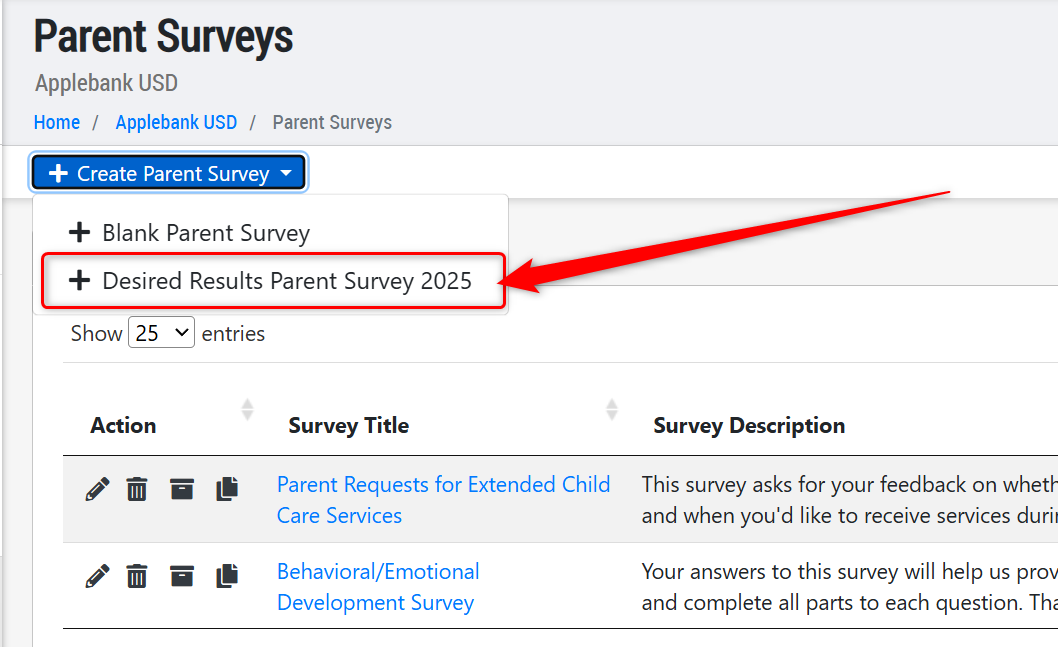
- We are happy to share that we've created the new Desired Results Parent Survey 2025 as an updated survey template. To create the DRDP 2025 survey, navigate to: Agency Menu > Families and Students > Parent Surveys. Click "Create Parent Survey" and select the "+ Desired Results Parent Survey 2025" option. This will automatically create all 25 questions in the survey, with informational statements preceding questions 1, 22, and 24. We hope this helps your team collect this annual survey information!
- In addition to adding the DDRDP 2025 survey, we also implemented several new tools to make the Parent Survey feature more robust and user-friendly, including the following:
- Copy - Added a new "Copy" feature so users can copy an existing survey to create a new one with the same questions.
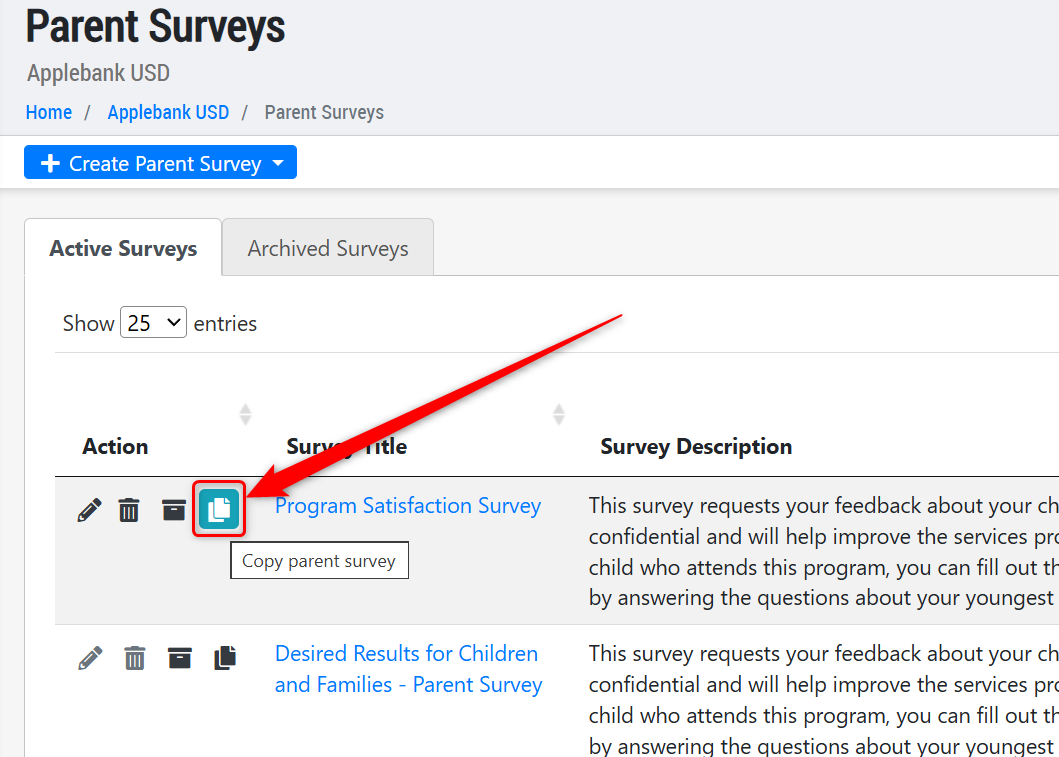
- Rubric Question - Added a new question type called "Rubric Question." This allows users to create a question with as many sub-questions as needed, all with the same response format. For example, the main question and response types can be: Q - Rate to what extent you agree with the following statements about your experience of your child’s program, A - Strongly Agree, Somewhat Agree, Somewhat Disagree, Strongly Disagree, Unsure. Then, your sub-questions can be more detailed, such as: The program clearly explained the process for enrolling my child in the program, The program shares information on the curriculum and learning activities with me, etc.
- Statements - Added statements as an option to add to your survey. A statement will present an important message to the parent before continuing to the next questions in the survey that help the parent understand how to respond.
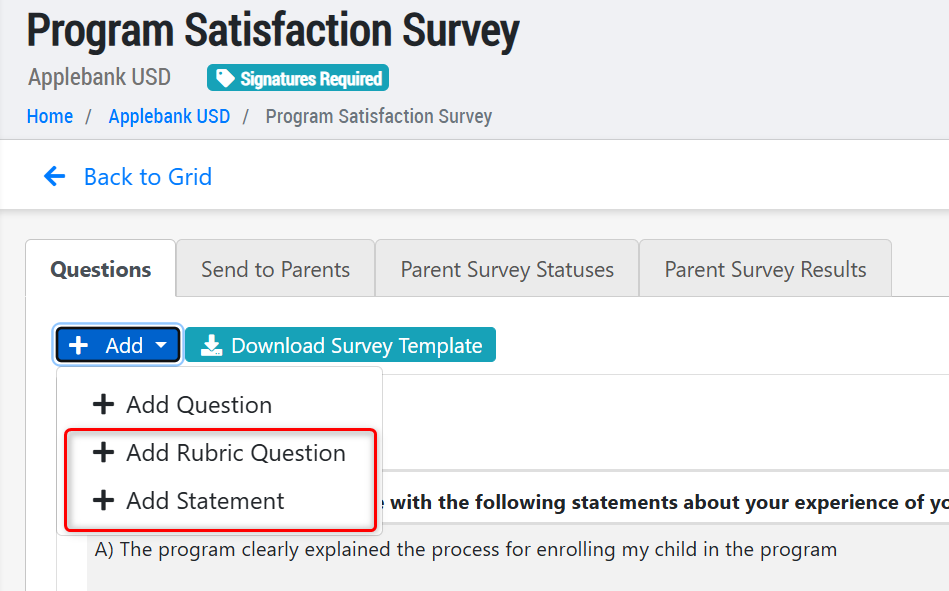
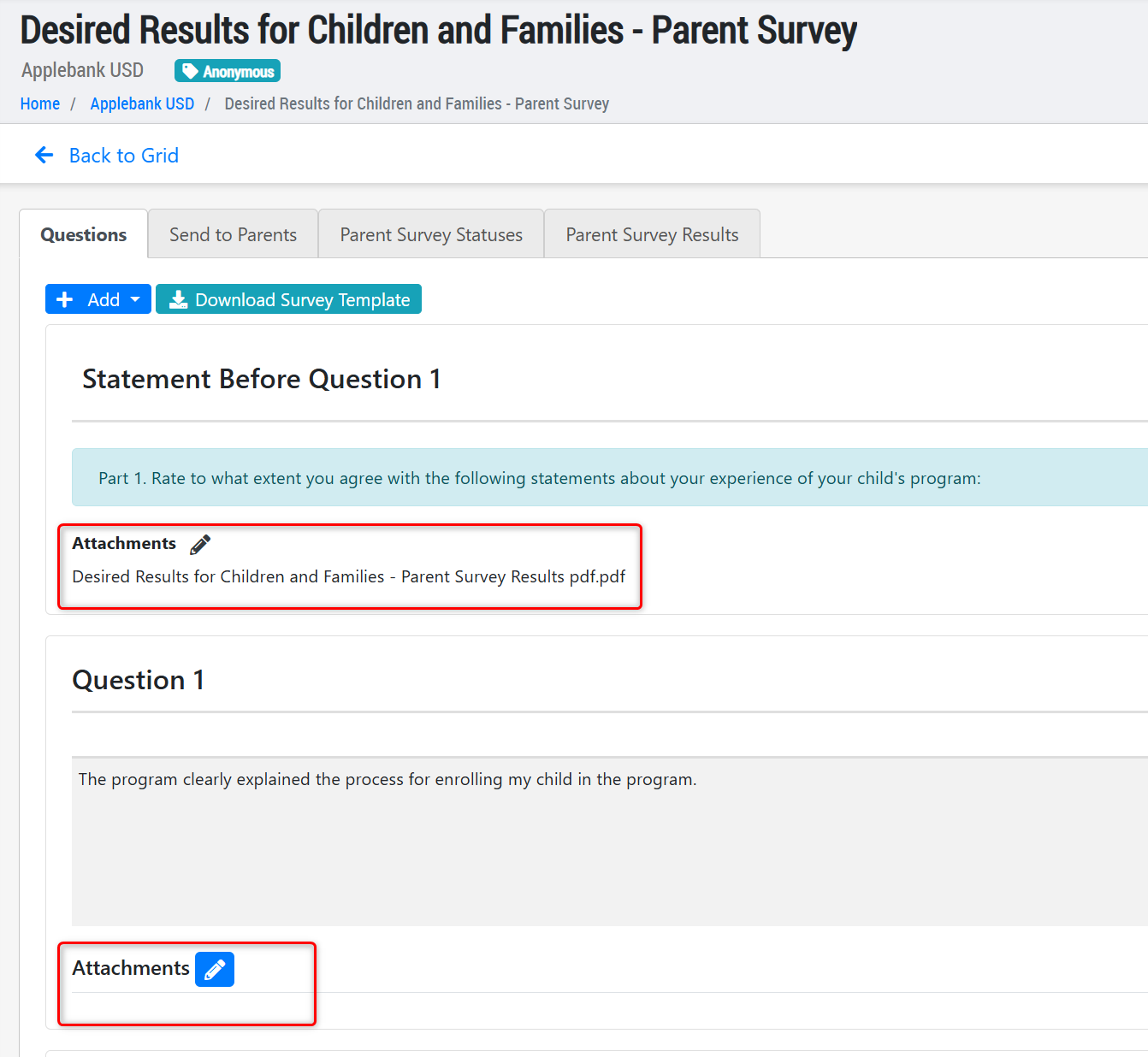
- Attachments - Added the ability to add attachments to statements and questions within the survey. When completing the survey, parents will be able to view/download any attachments added to the statement or question.
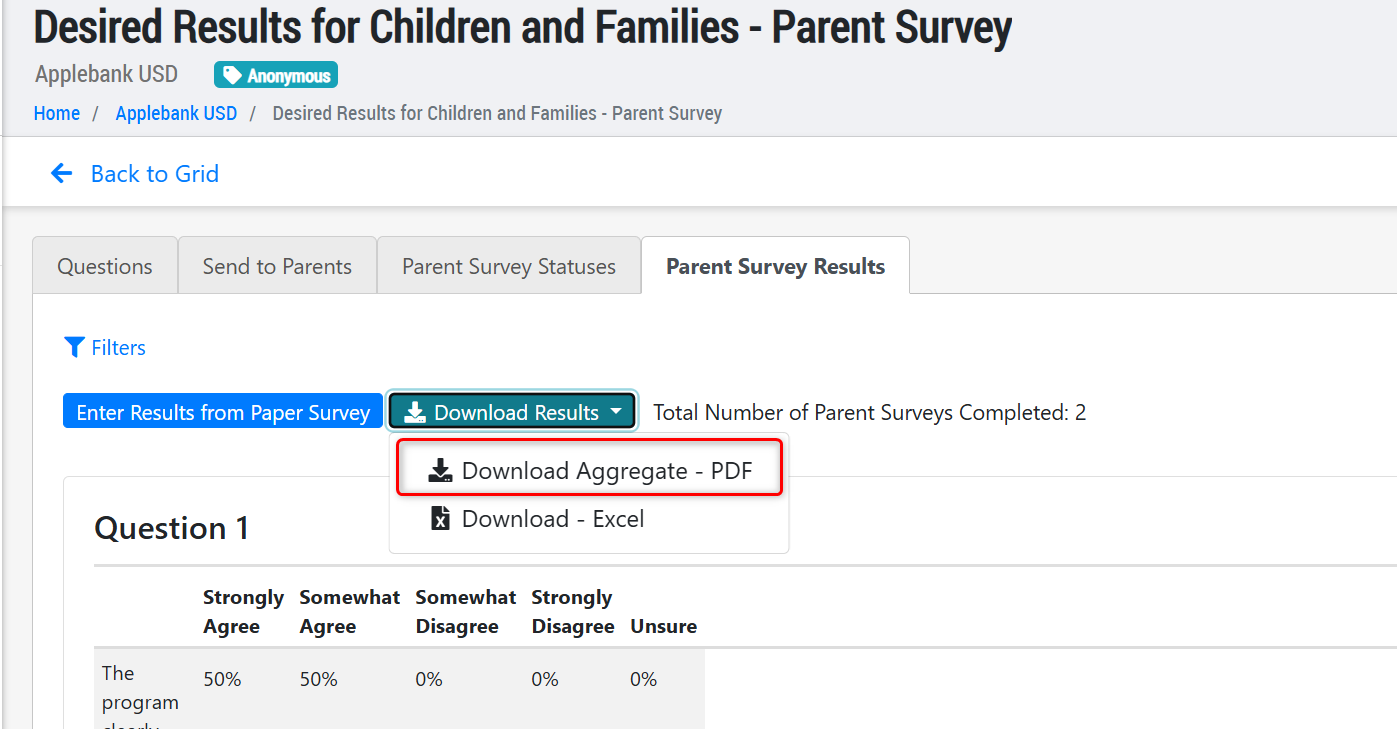
- Results PDF - Consolidated the two PDF Survey Results downloads into one PDF Results download that includes all detailed and overview information about the survey's results.
- Skip To Select Question - Implemented a "Skip to Question Number" tool that will skip a parent to a designated question based upon certain answer selections. For example, on Question #1, if a parent selects answer option (A) that has a "skip to Question #4" rule in place, then the next question the parent will see is Question #4, skipping over Questions 2 and 3. Please note that this feature is only available for the "Choose only one answer" questions, not the "Choose all that apply" or "Free response" question types.
- Copy - Added a new "Copy" feature so users can copy an existing survey to create a new one with the same questions.
Attendance Reporting Enhancements
- Added two new filters to the Chronic Absences Report, including Family Status and Student Status. Note that the Active/Inactive Status options refer to the family and student records as a whole, not whether or not the family or child is actively enrolled.
- Updated the Chronic Absences Report to report one row per student, rather than one row per schedule as it previously operated. Now, for the selected date range, a student's cumulative absence/attendance data will be reported in one, combined row across all active schedules for that date range. For example, students who transferred mid-month will be reported in a single row for both schedules.
- Our existing Monthly Sign-In Sheets for FCCHEN Programs PDF template is now available to download with eSignature attendance data. This can be found in the session level Sign-In/Out Downloads record in the Monthly Sign-In/Out with eSignatures card dropdown, titled "Download FCCHEN Version."
DRDP Enhancements
- We've updated the Student DRDP feature in the student record to be more user-friendly and support proper data completion. To navigate to this area: Student Menu > DRDP > DRDP-2015. The record will now be one grid rather than three (3) tabs, displaying all the DRDP assessments that have been created for the child across all Rating Periods, Child Age/Grade Instrument, and View Types. We have also added a new "Updated On" column that will show the date the DRDP assessment was last modified.
- Important Note: We've updated how a child's DRDP assessment is marked as "Complete." Previously, the assessment was automatically marked as "Complete" upon the last rating measure selected within the DRDP. However, many DRDP assessments were still missing required information, such as the child's Home Language, DRDP Adaptations, and the Completion Date. We have updated the DRDP assessment so that staff must now manually update the status to "Complete." Within the confirmation pop-up modal to complete the DRDP, staff will be presented with the following fields to ensure the assessment is fully entered and correct: Date Completed, Reviewer information, Home Language information, Assistance types (if any), and Adaptations (if any). Please note that the DRDP assessment cannot be marked as "Complete" by staff until all measures have been rated.
Head Start Enhancements
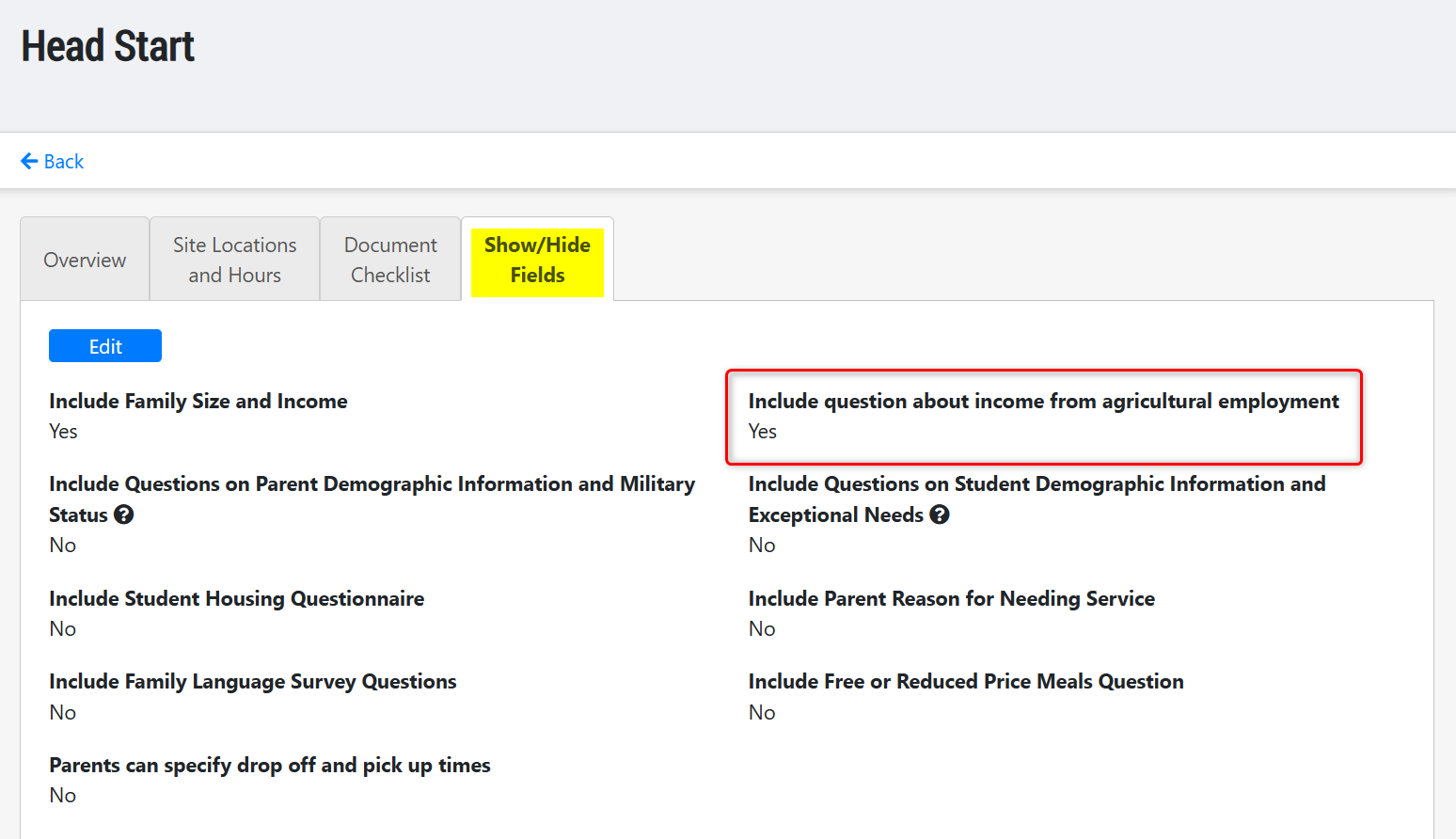
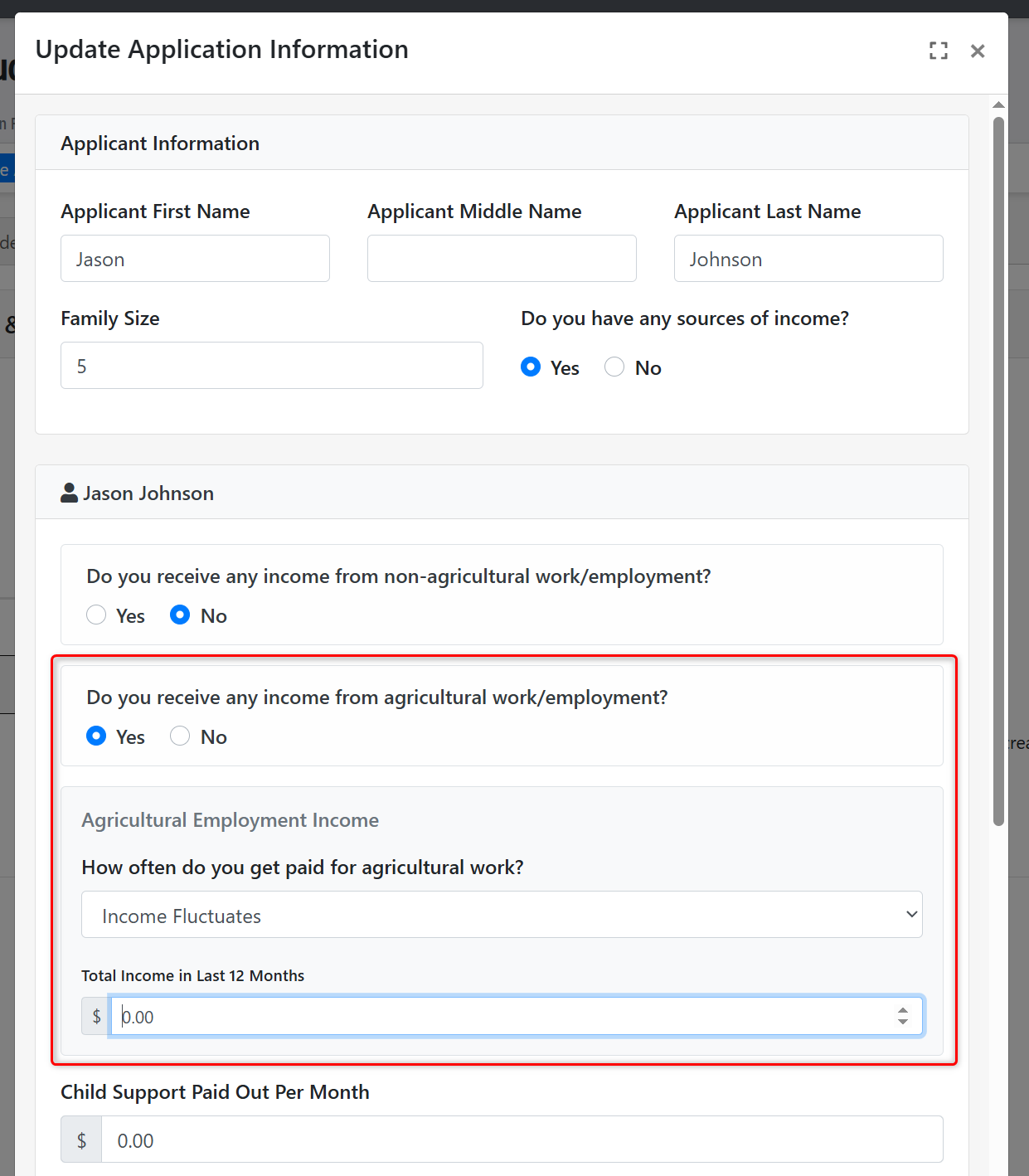
- We have added several new fields and items to the Hubbe system in support of Migrant Head Start programs. Now, you can enable agricultural income fields to be surfaced in the family application for select programs so that applying families can provide information on both regular and agricultural income, if any. To enable this for any program in your center, please follow the steps below:
- Navigate to: Agency Menu > Agency Setup > Agency Programs. From this list of your center's programs, click to "View/Modify" the program for which you want to enable this setting.
- Click on the "Customize Application" tab and select the application year you wish to enable this for.
- Click on the "Show/Hide Fields" tab, set the field titled "Include question about income from agricultural employment" to "Yes."
- Immediately upon saving your change to this setting, any family applying to that program year will be presented with the opportunity to enter both regular and agricultural income information that they receive.
Family Billing and Payments Enhancements
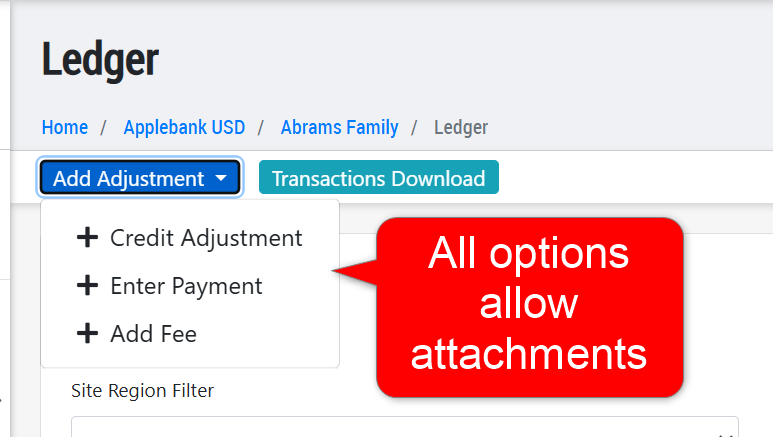
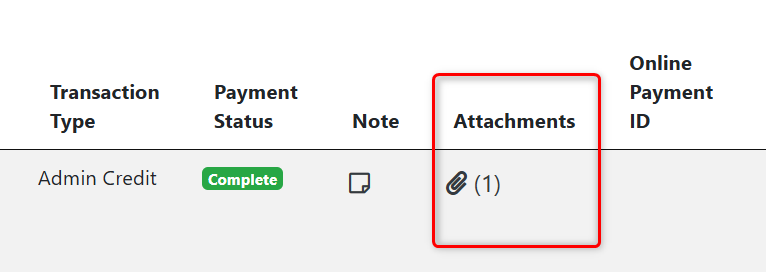
- We have added a new "Attachments" feature to family fees and payments/credits. Now, when users add payments, credits, or non-scheduled fees to a family's ledger, they can add attachments to the transaction, such as a copy of a check or receipt. The attachments will be available from the General Ledger, Family Ledger, and Payments Report.
Family Goal Enhancements
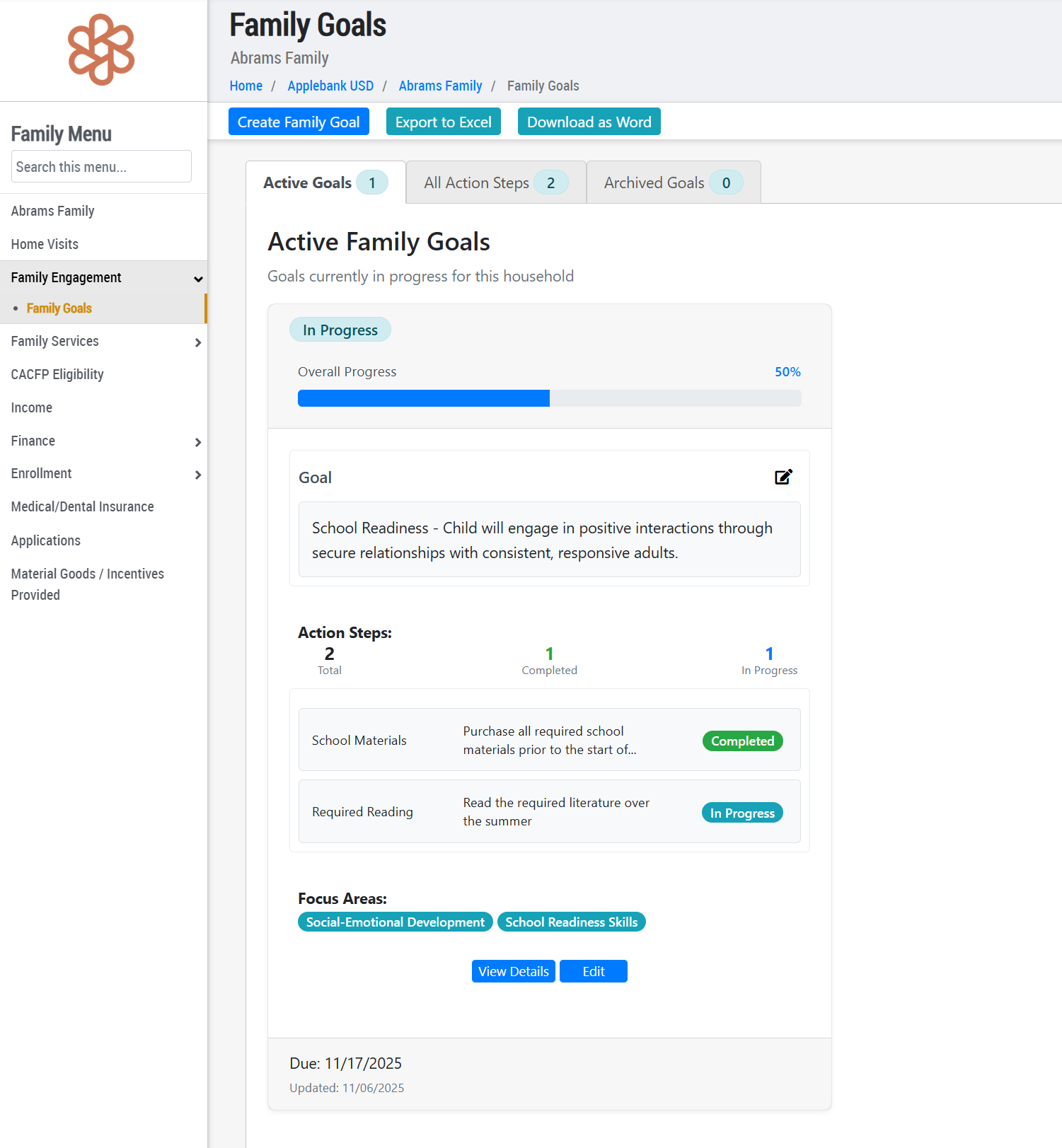
- The feature previously titled Family Action Plans has been renamed to Family Goals, which contain action items and focus areas within each goal. We have also updated the Family Goal feature within Hubbe to be more user-friendly and visually consistent with the other areas of the system. Now, select agency staff can more easily create, edit, and manage Family Goals in Hubbe. To navigate to this area: Family Menu > Family Engagement > Family Goals. We hope you enjoy the newly improved Family Goals feature!
Role Permission Updates
- We have updated the role of Intake and Eligibility Coordinator to now have access to Agency Menu > Reports > State Reports record. We have also removed the "QIP and Coaching" menu item from this role's views, since it is not in the scope of this role's responsibilities.
Fixes & Adjustments
- Updated the Family Application so that staff and parents can only edit the names of the parents and applying children in the application if they are newly added. For any re-applications, parent and student names will not be editable. This update aims to prevent overriding existing household data during the application process.
- Updated the scheduled posting feature available for Family Billing that allows users to schedule fees to be posted to a family's account on a selected day. Previously, this feature had to be enabled in your system for the scheduled posting to occur, but we have now removed that barrier to allow any system to schedule fees to post without needing to first enable the feature.
- The PowerSchool API Integration in Hubbe will now show a "PowerSchool DCID" (Data Collection ID) field within student records when enabled in the system, only editable by users with the role of Agency Admin.
Was this article helpful?
That’s Great!
Thank you for your feedback
Sorry! We couldn't be helpful
Thank you for your feedback
Feedback sent
We appreciate your effort and will try to fix the article